Automated invoice management
All invoices.
Collected automatically. Exported seamlessly.
Portal search is temporarily unavailable. Browse all portals
Import invoices from a selection of over 10,000 online portals and collect them automatically in your document management. Your preferred portal is not included yet? We keep expanding our selection and welcome your suggestions.
Popular portals
-
 learn more
Adobe
Adobe offers software for design and PDF editing, such as Acrobat and Photoshop in Creative Cloud. GetMyInvoices automatically downloads the invoices for your Adobe subscriptions from your Adobe account.
-
 learn more
Amazon
Amazon.co.uk is an online marketplace where many businesses order office supplies and technology. GetMyInvoices automatically downloads the invoices for your orders from your Amazon account.
-
 learn more
ChatGPT
ChatGPT is the AI assistant from OpenAI that helps you write texts, answer questions and analyse documents. GetMyInvoices automatically downloads the monthly invoices for your ChatGPT subscription.
-
 learn more
TradePoint
TradeUK is the trade account from B&Q for tradespeople and businesses, with an optional credit facility. GetMyInvoices automatically downloads the invoices for your purchases from your TradeUK Credit account.
-
 learn more
Facebook
Businesses run ads on Facebook and Instagram and manage their campaigns and budgets in Meta Ads Manager. GetMyInvoices automatically downloads the invoices for your ads from your ad account.
-
 learn more
Google Ads
With Google Ads you place ads in Google Search, on YouTube and on partner websites. GetMyInvoices automatically downloads the invoices for your advertising costs from your Google Ads account.
-
 learn more
BT - Business
BT Business provides broadband, phone lines and mobile contracts for companies, which you manage in My Account. GetMyInvoices automatically downloads your BT Business invoices from there.
-
 learn more
Claude AI
Claude is the AI assistant from Anthropic. GetMyInvoices retrieves the invoices for your Claude subscriptions automatically and forwards them to your accounting.
-
 learn more
Vodafone.co.uk - MeinVodafone
Vodafone provides mobile, broadband and landline services, and you manage your contracts in My Vodafone. GetMyInvoices automatically downloads the invoices for your contracts from there.
Keine Integrationen gefunden.
Find your preferred portal among over 10,000 further online portals. Simply use our search function.
Go to the portal search
Connect online portals
quickly and reliably
Optimise your invoice processes and connect all the online portals you use in your company. Alongside our web application, the Desktop App gives you another way to connect your portals simply and securely. On request, without storing any login details with us.
More about the Desktop App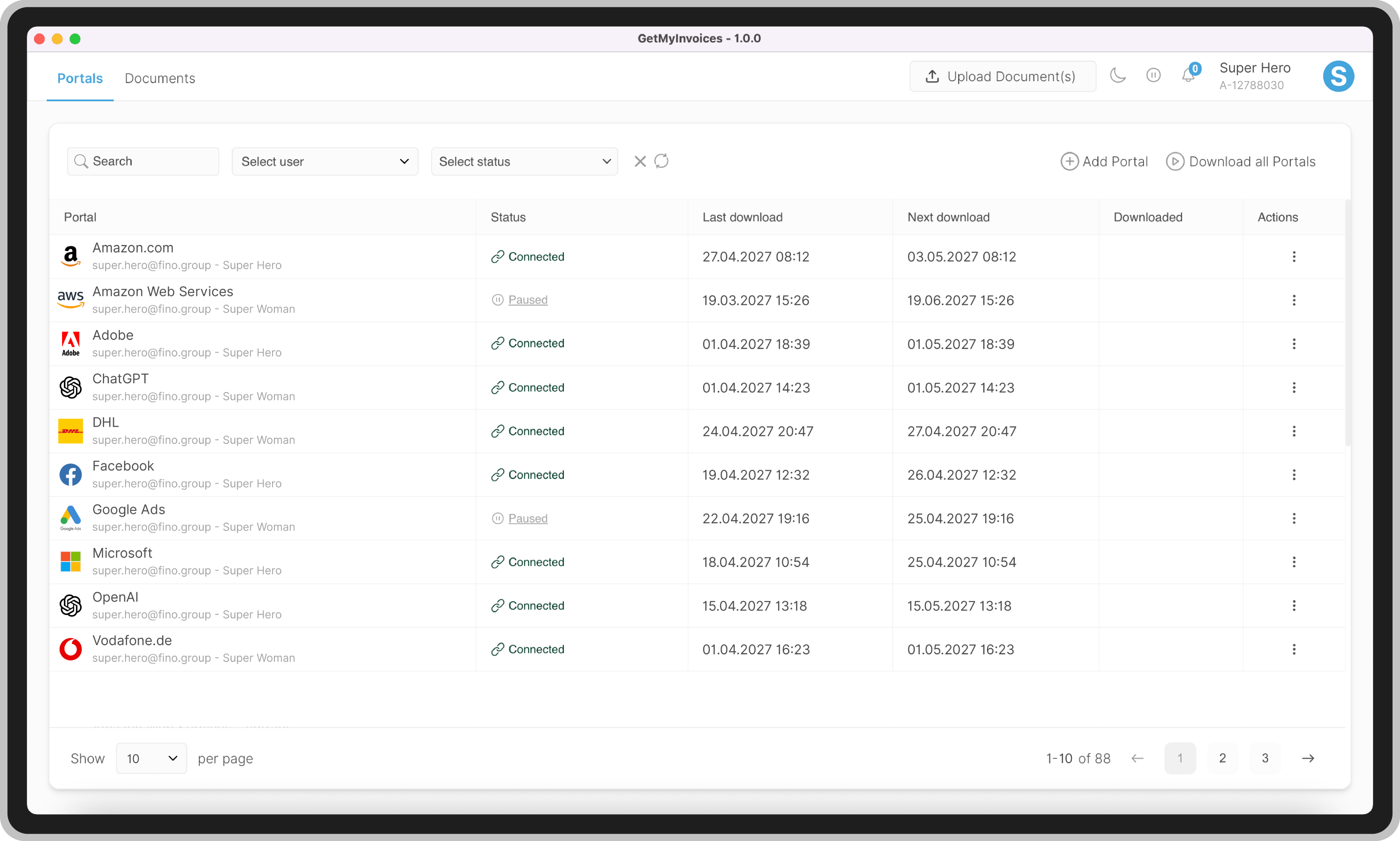
Why you should
use GetMyInvoices
GetMyInvoices can download invoices from over 10,000 online portals automatically. Our interfaces span a wide range of categories such as banks, web hosting, jobs, marketing, telephone companies, electricity and gas, transport and logistics and more.
Imagine how much time your employees can save in future with GetMyInvoices instead of tracking down and gathering every invoice by hand.
Frequently asked questions
You connect a portal to GetMyInvoices once by entering your login details. After that, GetMyInvoices retrieves new invoices from that portal automatically, reads them and files them centrally.
Yes. Portals with two-factor authentication can be connected too. For portals that require a local login, the Desktop App handles the retrieval, so your login details stay on your device.
The retrieval runs at a regular interval that you set yourself. GetMyInvoices then checks the connected portals automatically and fetches new invoices as soon as they are available.
GetMyInvoices supports over 10,000 online portals. Use the portal search to check whether a particular portal is included.
Suggest your preferred portal directly via the form. We review the connection and connect the portal. Until then, you can capture invoices from that portal by email retrieval, by upload or via the Mobile App.
You decide per portal whether the password is stored. With the Desktop App, your login details stay locally on your device. All data is transferred and stored encrypted.