For Steuerberatertag 2017 we are pleased to announce the release of our DATEV interface today. The connection between GetMyInvoices and DATEV Unternehmen Online is the next logical step towards more automation in German bookkeeping. Document transfer is now carried out online, and there is no longer any need to install additional software.
We would like to thank our colleagues at DATEV for their great support during the integration, and we look forward to the cooperation.
GetMyInvoices is the standard solution for automatic invoice download. GetMyInvoices now downloads invoices from more than 1000 internet portals and imports documents fully automatically from email accounts. Until now, an intermediate step was necessary to transfer documents to DATEV. You had to download the monthly export, unzip it, and upload it again using DATEV document transfer. This is now no longer necessary - you can send documents directly from GetMyInvoices to DATEV Unternehmen Online.
You have two different transfer options. You can transfer the pure PDF documents as document images, as is familiar from DATEV document transfer. Alternatively, you can have the data already extracted by GetMyInvoices transferred, such as supplier, invoice number, invoice date and amounts. The second option saves the tax advisor even more time, but all document data must then be 100% complete in GetMyInvoices, in case the OCR was unable to read all data correctly.
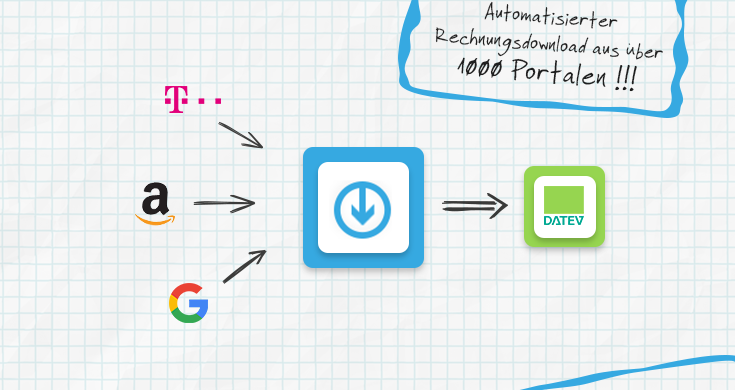
The prerequisite is DATEVconnect online , which must be ordered and activated by your tax advisor. Activation usually takes at most a few hours.
To set up the connection, you will also need the hardware stick DATEV mIDentity compact , which, as a DATEV Unternehmen Online customer, you probably already have anyway. The downside here is that you naturally don’t always have this USB stick with you.
We therefore also recommend ordering the DATEV SmartLogin . With SmartLogin, you no longer need the stick, as authorization is simply done via QR code scanning with your iPhone or Android smartphone, anywhere and anytime.
You can find instructions for setting up the DATEV interface here: Tutorial: Invoice download and document transfer to DATEV .
You can find our listing on the DATEV Marktplatz here: DATEV Marktplatz listing
In a few days, we will also complete the beta phase of our client management feature and make it publicly available. With client management , tax advisors and business consultancies can create and manage GetMyInvoices accounts for their clients. The design can be adapted to match your corporate design. You can log in to client accounts, access documents, and initiate the DATEV transfer. In addition, our partners and their clients benefit from special conditions.
We would like to take this opportunity to thank the participating firms for their valuable feedback, and we are pleased to be able to offer a “complete solution” in combination with the DATEV interface.