TikTok has become the seventh largest social media network in the world, making it very fertile ground for advertising.
What’s even better is that it is now TikTok advertising has also made it accessible to small businesses. Advertising on TikTok reaches a young, energetic audience that loves sharing great content.
As with all new marketing platforms, it can be difficult at first to use the platform profitably and in a targeted manner. And that’s exactly what we want to help you with this blog article.
In this guide, you’ll learn how to advertise on TikTok, how much it costs, and which companies should use it.
You’ll also get a list of TikTok advertising best practices for some inspiration.
Who should advertise on TikTok?
The list of companies spending money on TikTok advertising is growing, both in terms of the number and breadth of products they sell. But not every company will be successful here.
Will you?
Here are three truths about TikTok that will tell you who should invest in TikTok advertising.
Companies looking for a large, engaged audience
The TikTok app has been downloaded over 2 billion times, including 165 million times in the US alone. And it seems that the TikTok trend is rising quickly.
The youngest users, children between 4 and 15 years old, spend approx 80 minutes a day on TikTok , which is almost the same as YouTube usage time for the same audience. And on average, TikTok users open the app eight times a day.
**Companies sell to generations Z and Y with purchasing power **
Even though the audience on TikTok is very large and continues to grow, it doesn’t include all demographics like Facebook - yet.
Companies that specifically target Generation Z and younger Millennials find the largest pool of potential customers on TikTok.
The majority of the German TikTok audience is young: 24% of German TikTok users are under 18 years old.
However, more and more adults are discovering TikTok for themselves. For example, in less than 18 months, the number of adult TikTok users in the US increased from 2.6 million to 14.3 million - that’s one Increase of 5.5 times.
This trend is very beneficial for advertisers, as it is the target group with the most purchasing power on TikTok.
Companies with an international audience
Unlike other social media networks, TikTok was not founded in the United States. This is clearly reflected in the user numbers.
India has the largest number of TikTok users, and other nations such as Germany, Russia, France and Pakistan all have tens of millions of people on the platform.
Overall the app is in 155 countries and 75 languages worldwide available.
Place TikTok advertising
In order to place your first TikTok ad, you must register with TikTok Ads Manager and create an account.
Here we’ll break down the different ad types and show you how to create your own in-feed video ad.
Choose your ad format
TikTok offers various ad formats for paid advertising.
In-feed video ads
In-feed ads are short videos that appear in users’ news feed on the For You page. They look similar to native TikToks, so they blend organically into the feed.
At the moment, this is the only ad format available.
Brand Takeover
Brand Takeover Ads are full-screen, three to five second video ads that appear when someone opens the TikTok app.
Branded hashtag challenge
In a branded hashtag challenge, a company asks TikTok users to film themselves doing something, such as: B. a choreographed dance and then post the video with a specific hashtag.
These ads are placed at or near the top of the discovery page, and clicking on the hashtag takes visitors to a collection of TikToks of the same challenge.
TopView ads
Like Brand Takeovers, TopView ads are displayed on the entire screen.
The difference is that these ads can be 60 seconds long and are delayed, meaning they don’t start when the app starts.
Branded effects
Branded effects are custom stickers, AR filters, and lenses that users can add to their own video. They are similar to Instagram’s AR filters. Each new branded effect is available for 10 days.
By the way, in TikTok’s advertising gallery, you can look at examples of all ad formats and get inspiration.
Click here for the TikTok Inspiration Gallery.
Create your ad account
Before you get started, you’ll need a TikTok account.
- Go to the website of TikTok for Business and then click on the top right “Begin”.
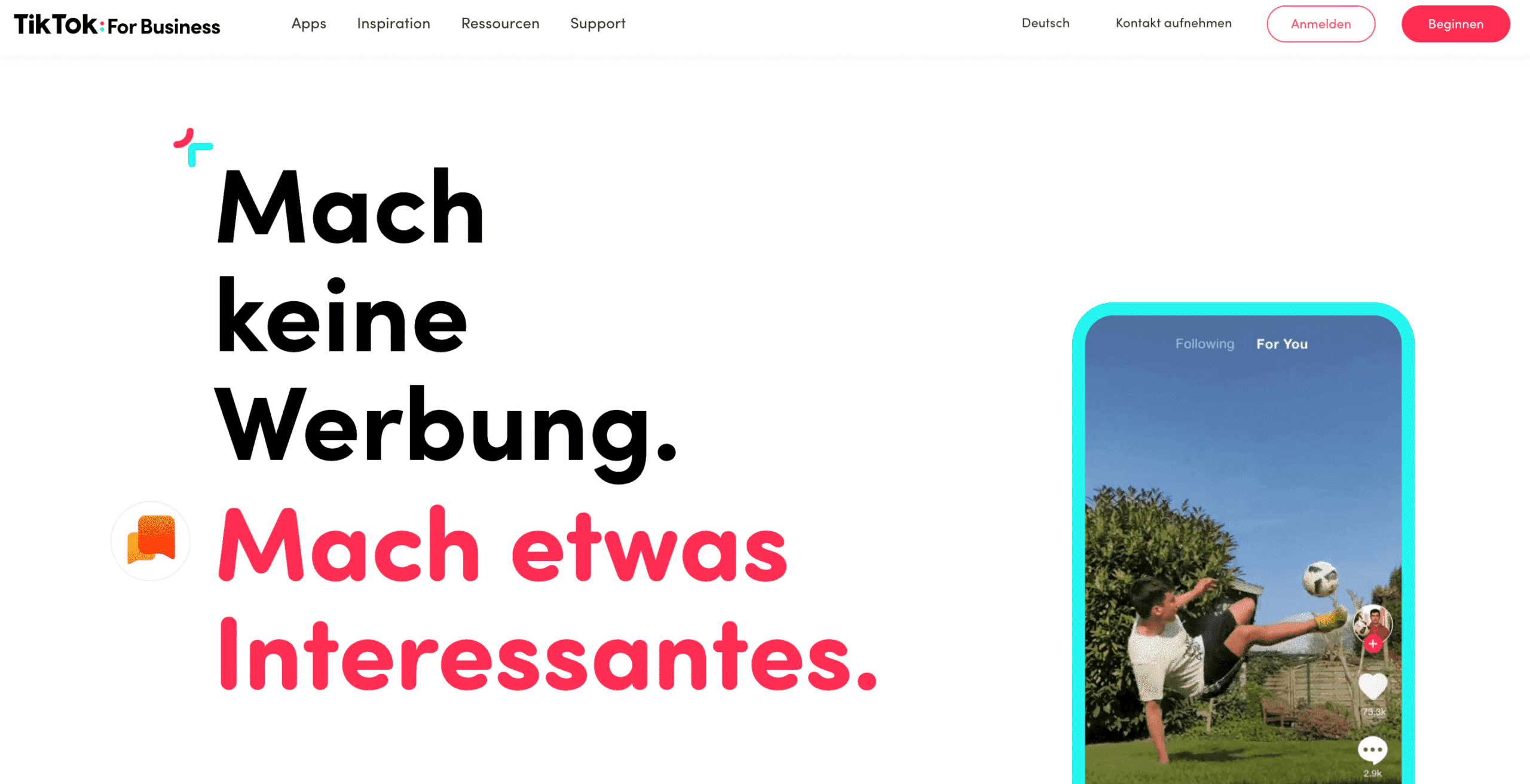
You will then be taken to the page “To register” forwarded.
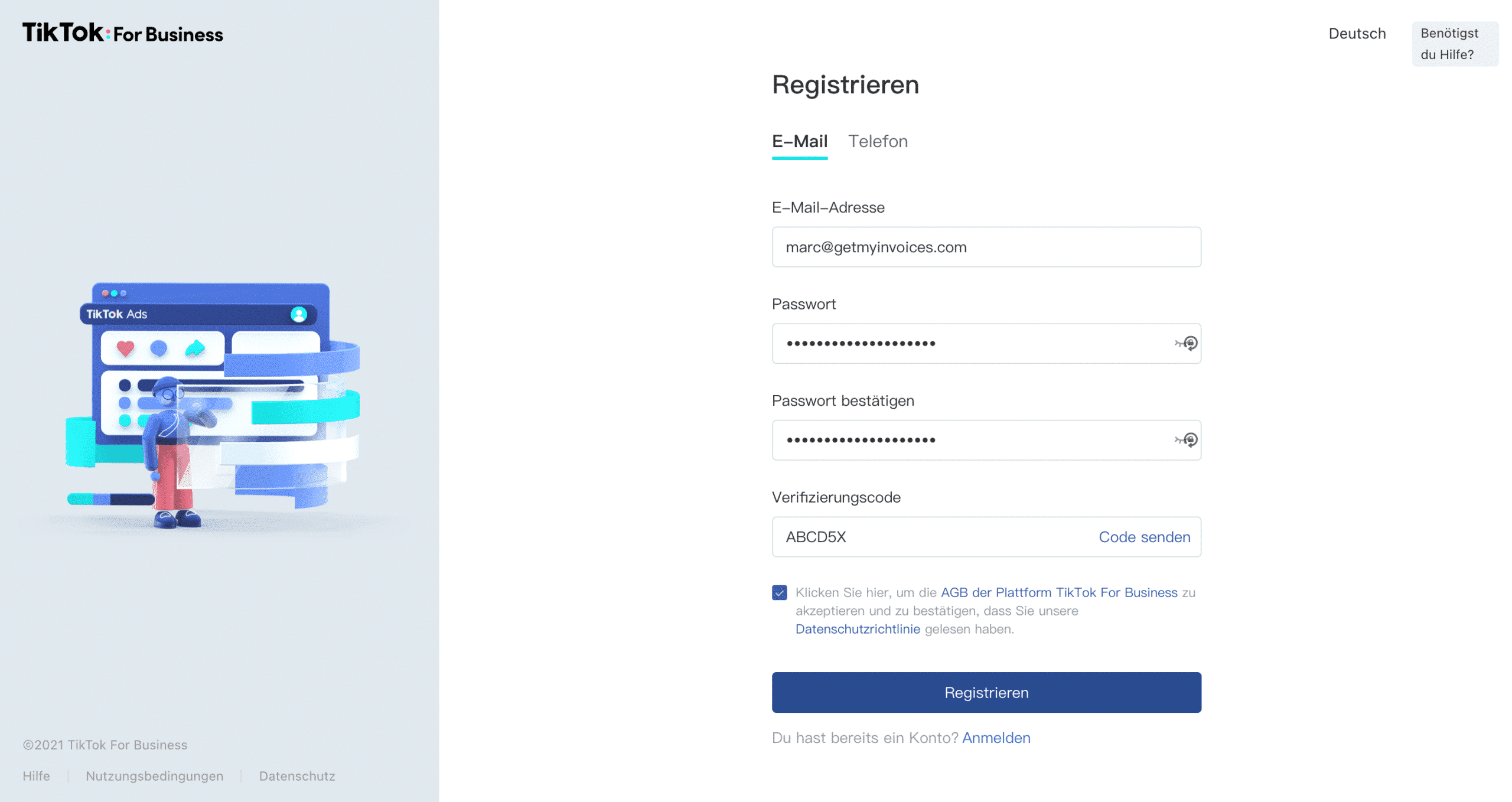
- Fill out all input fields and then click at the end “To register”.
That was it. You have created a TikTok business account and have thus created the prerequisites for TikTok advertising.
Let’s just create your first TikTok ad campaign
There is a specific ad structure in TikTok Ads Manager. First, create one Campaign, then an ad group and at the end an ad.
Here learn more about the ad structure from TikTok.
- Go to tab “Campaign” at the top of the Ads Manager and then click on the blue button “Create”.
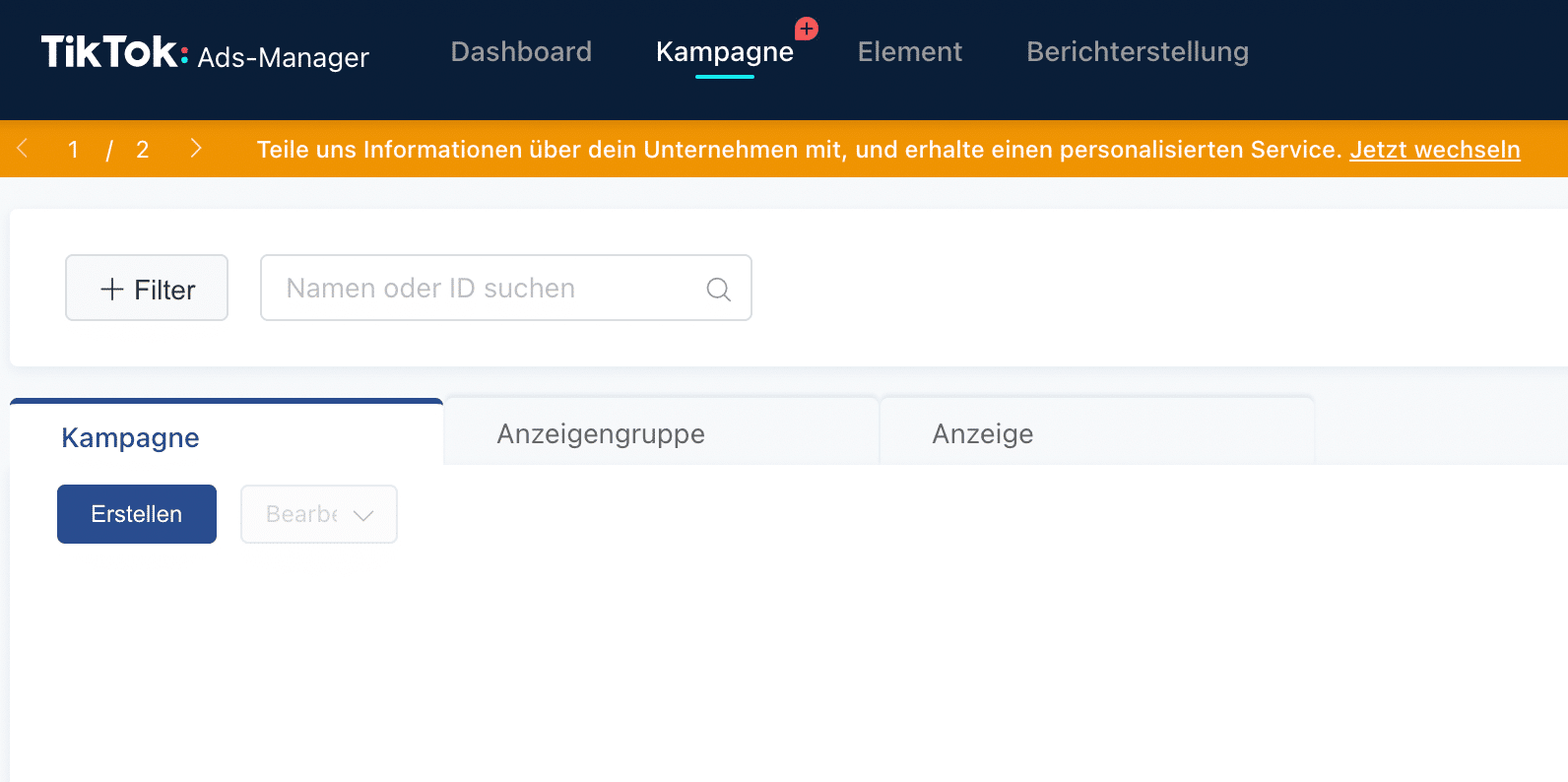
- Choose yours now Advertising objective out of.
Depending on what your marketing goal is, you can choose between three options choose:
- ** Website conversion** (Purchases, leads etc.)
- ** Website traffic** (bring lots of visitors to my website)
- ** App installations** (Download your app).
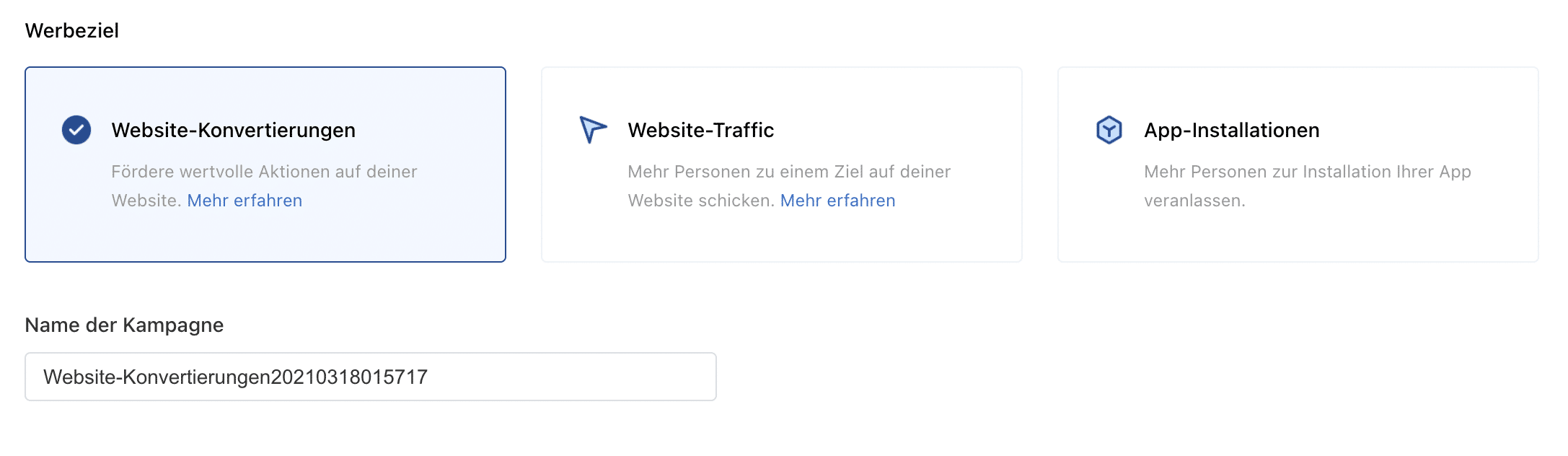
Once you have selected your advertising goal, give your campaign a suitable name in the field “Campaign name”.
The campaign name is important so that you can later distinguish between the individual campaigns and immediately recognize the marketing goal.
For now, that’s all you need to do to create your first TikTok campaign. Finally, click “Continue” to go to the next step.
Create an ad group
In the ad groups you determine where your ad will be shown, who you want to reach with your advertising message, how high the advertising budget is and the duration of the advertising campaign.
- The TikTok Pixel also allows you to create a custom audience from your customer files, website traffic, app activity, or previous ad engagement.
If you don’t have one yet TikTok pixels created, then proceed as follows.
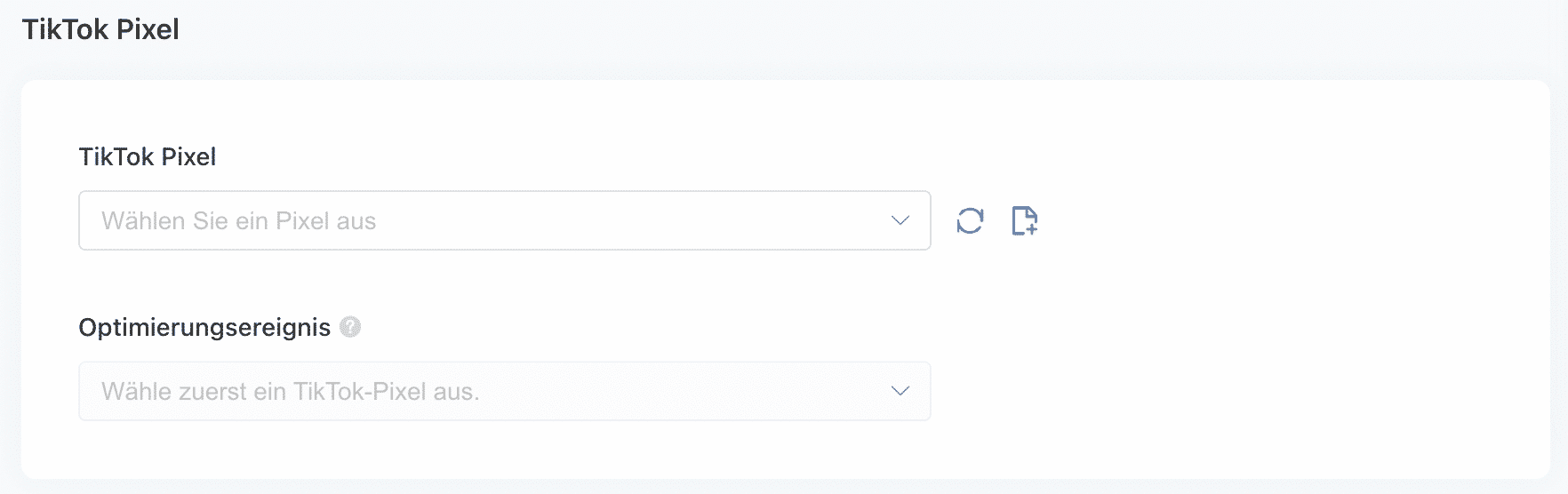
Click to the right of the field “Select a pixel” on the symbol with the leaf and a + sign.
You will then be redirected to the following page:
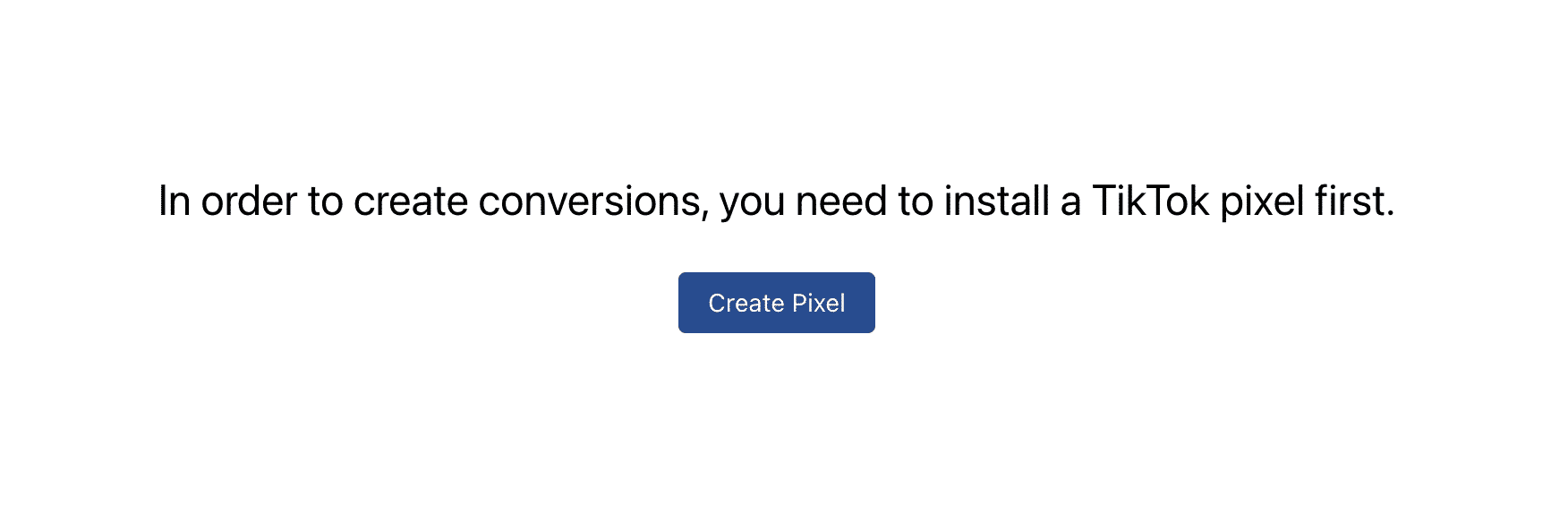
Next, click “Create Pixels”. You will be redirected again.
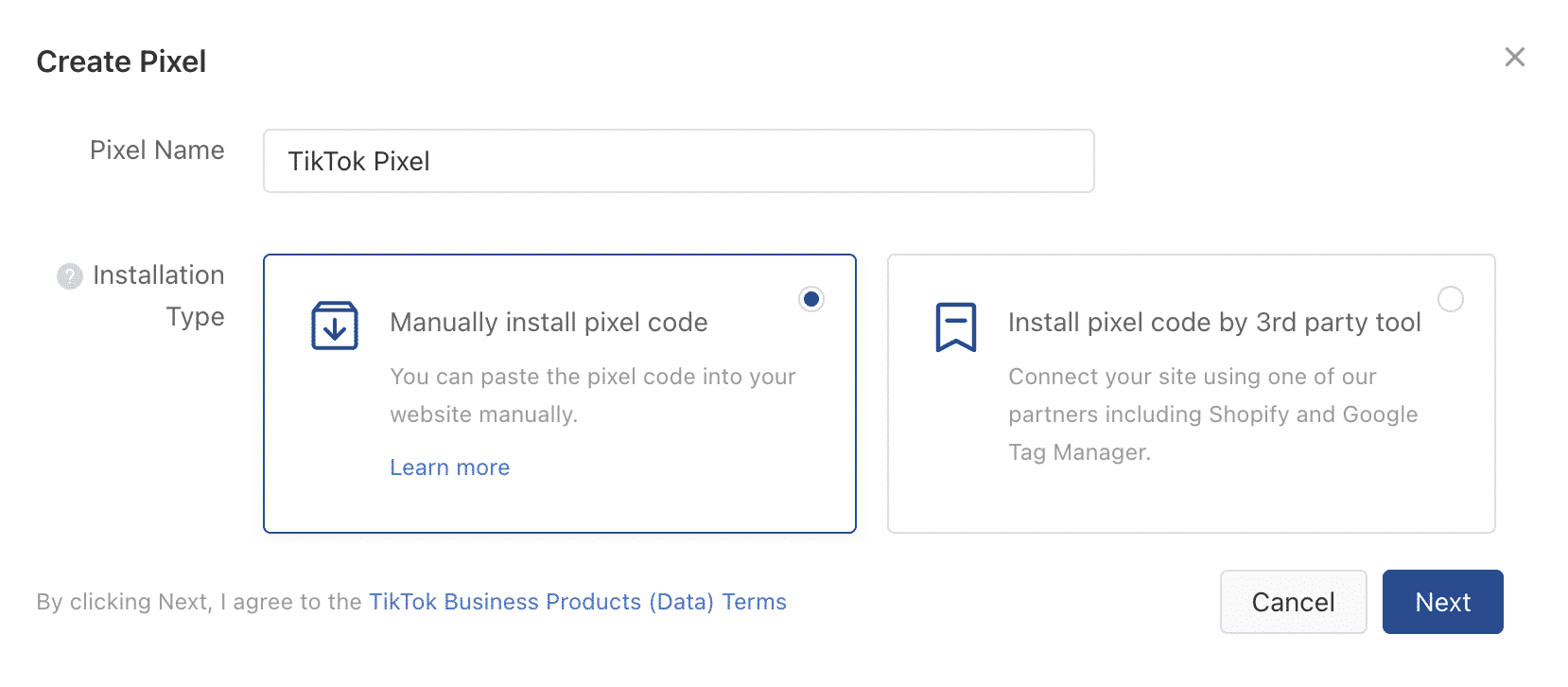
Now you need to give your pixel a name. Then choose how you want to install the TikTok Pixel.
You have two options for this:
- You install the pixel manually on your website.
- You install the Pixel over Third Party (Google Tag Manager, Shopify etc.)
Once you have decided on a variant, click on “Next”.
To create a custom audience from website traffic, you need to install the TikTok pixel on your website. The pixel also helps you optimize ads and link the success of your ads to customer behavior on your website.
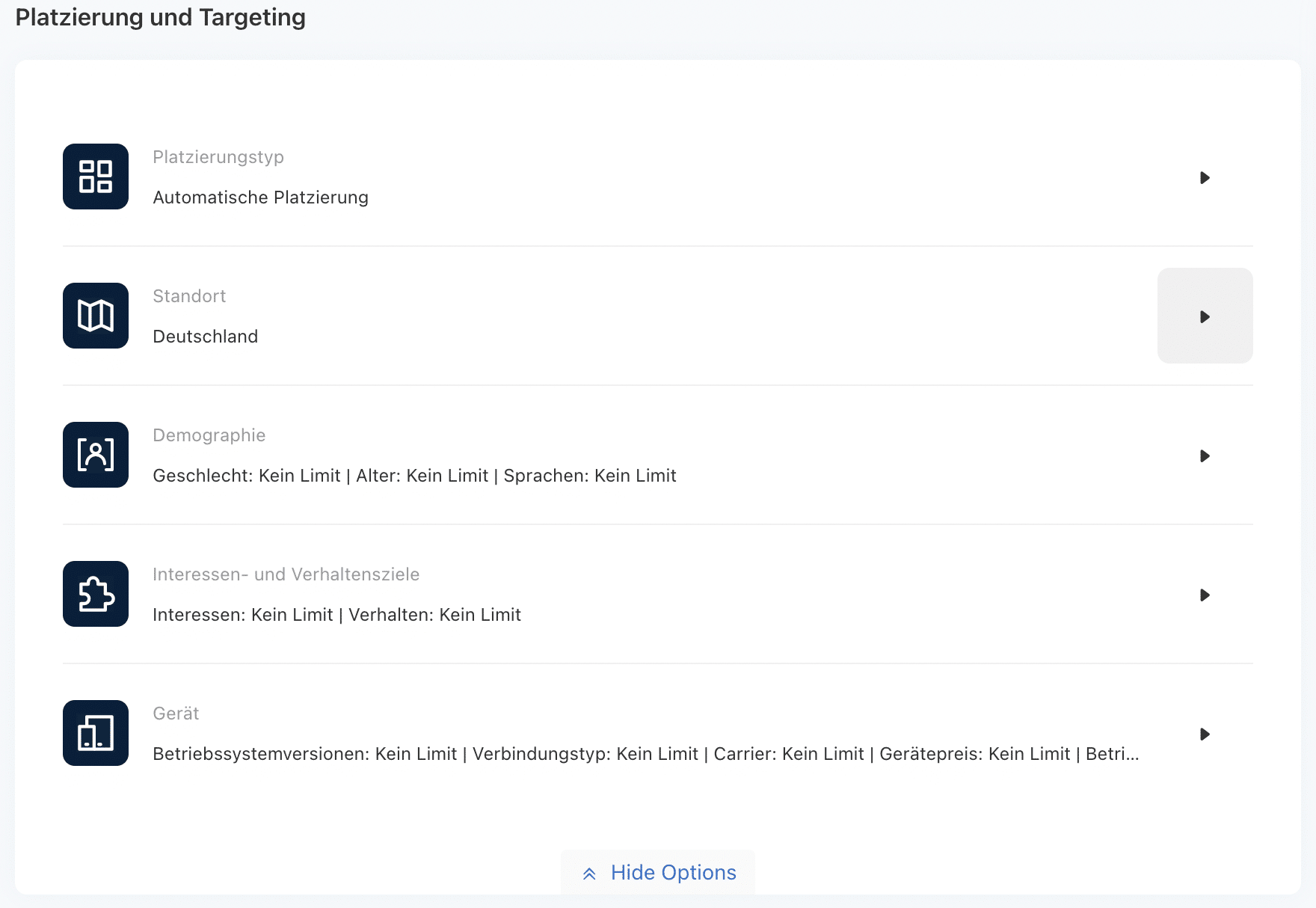
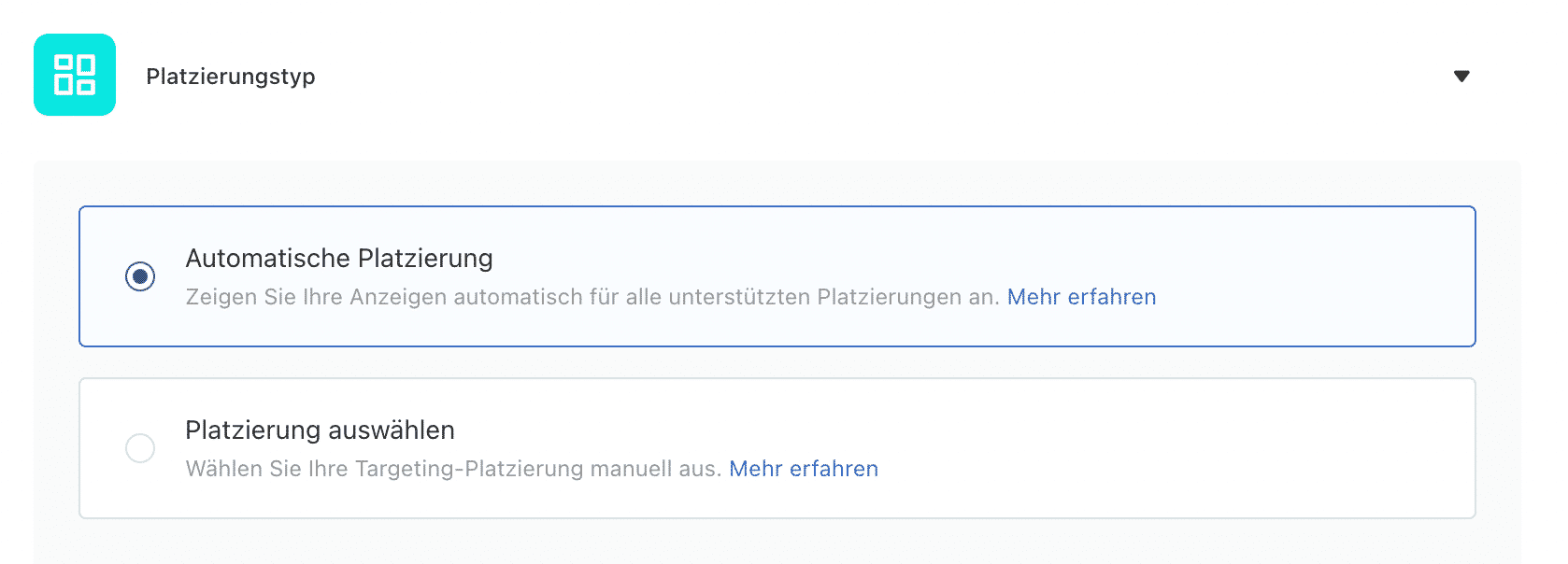
- First, select a placement type. The “Automatic Placement” is easiest for your first ad. This will show your ad in all supporting placements.
- Next, determine which one Location Your ad should be displayed.
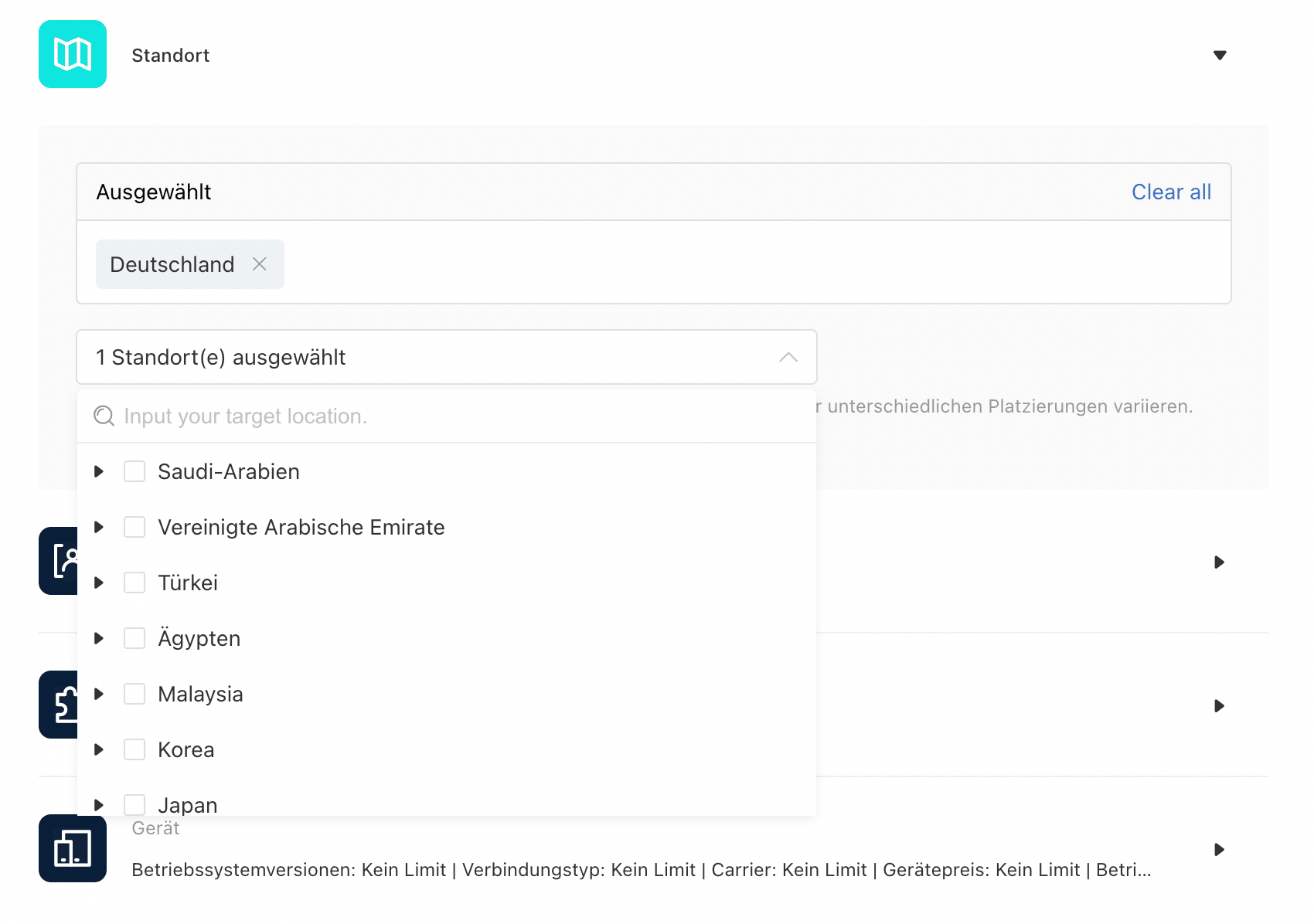
You have the opportunity to reach your target group in one (or more) countries.
If your target group is only in Bavaria or Hesse, then you can select your target group down to the individual federal states.
- Make demographic information to your target group.
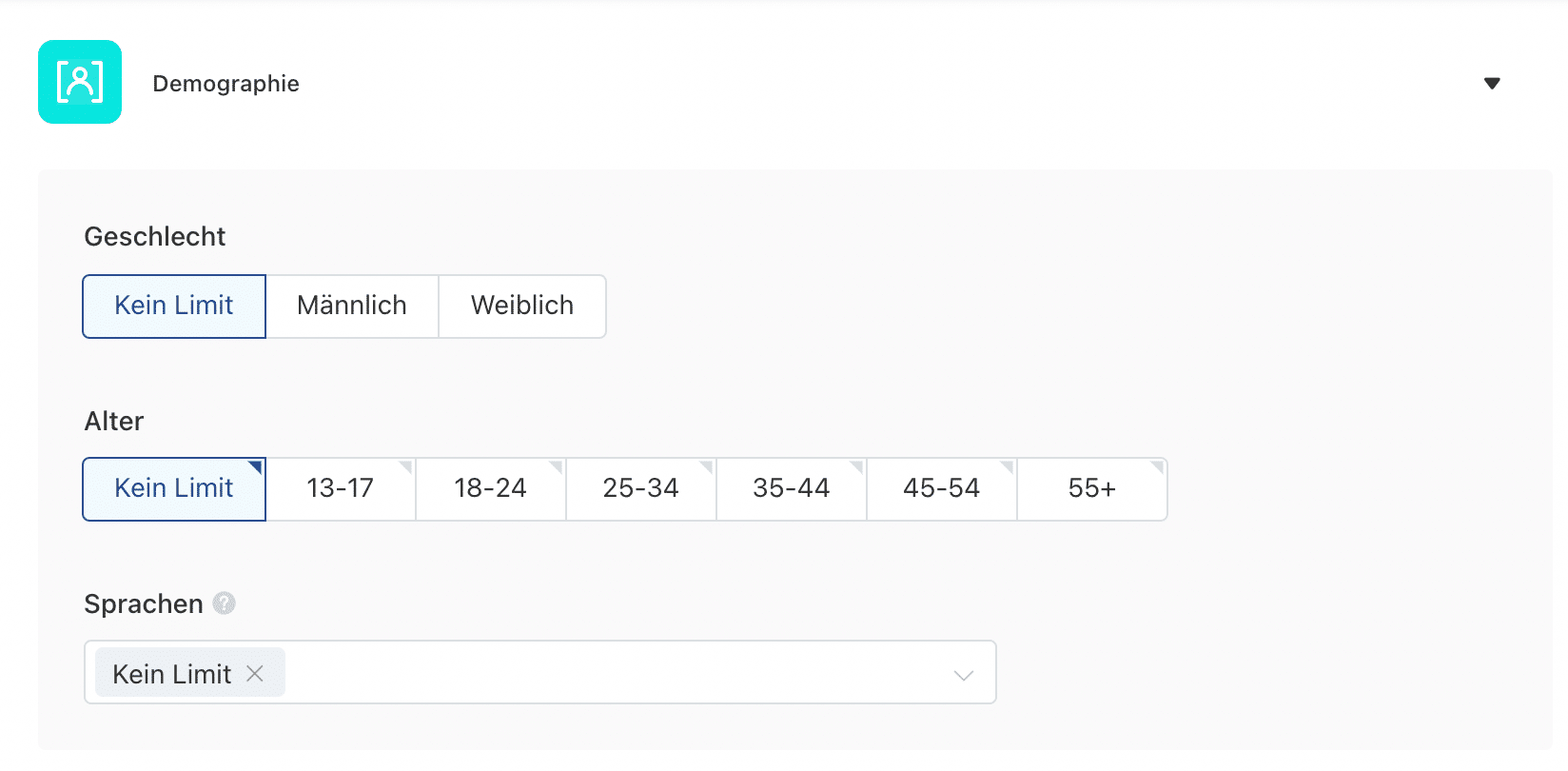
You can choose your audience based on demographics and interests.
According to TikTok’s data security requirements, it is currently not possible to reach people under the age of 18.
- To ensure that your ad is actually displayed to your target group, TikTok offers you the opportunity to narrow down your target group based on interest and behavioral goals.
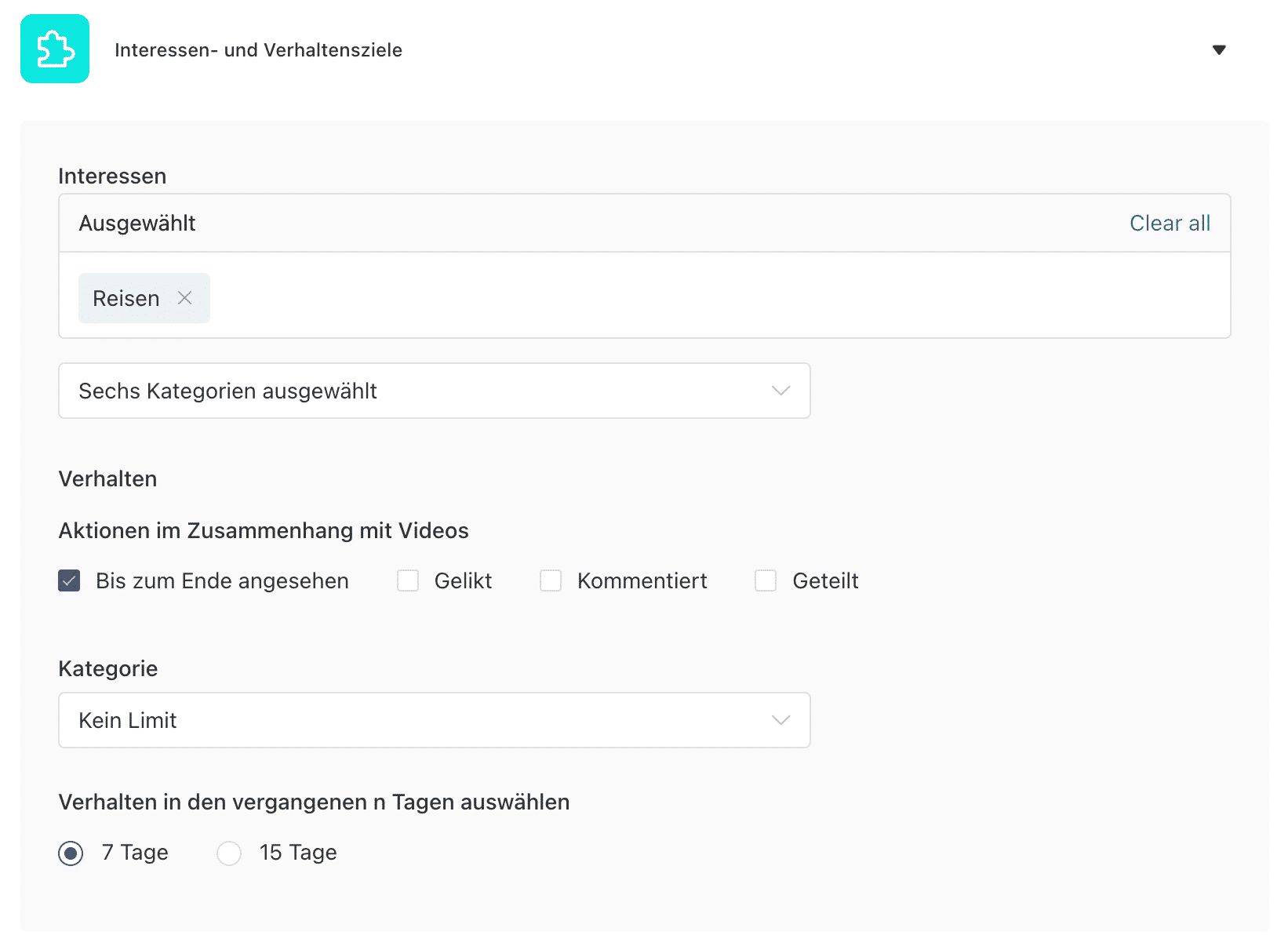
- In the following area you can determine whether your target group meets certain requirements with regard to the operating system and Connection types must fulfill.
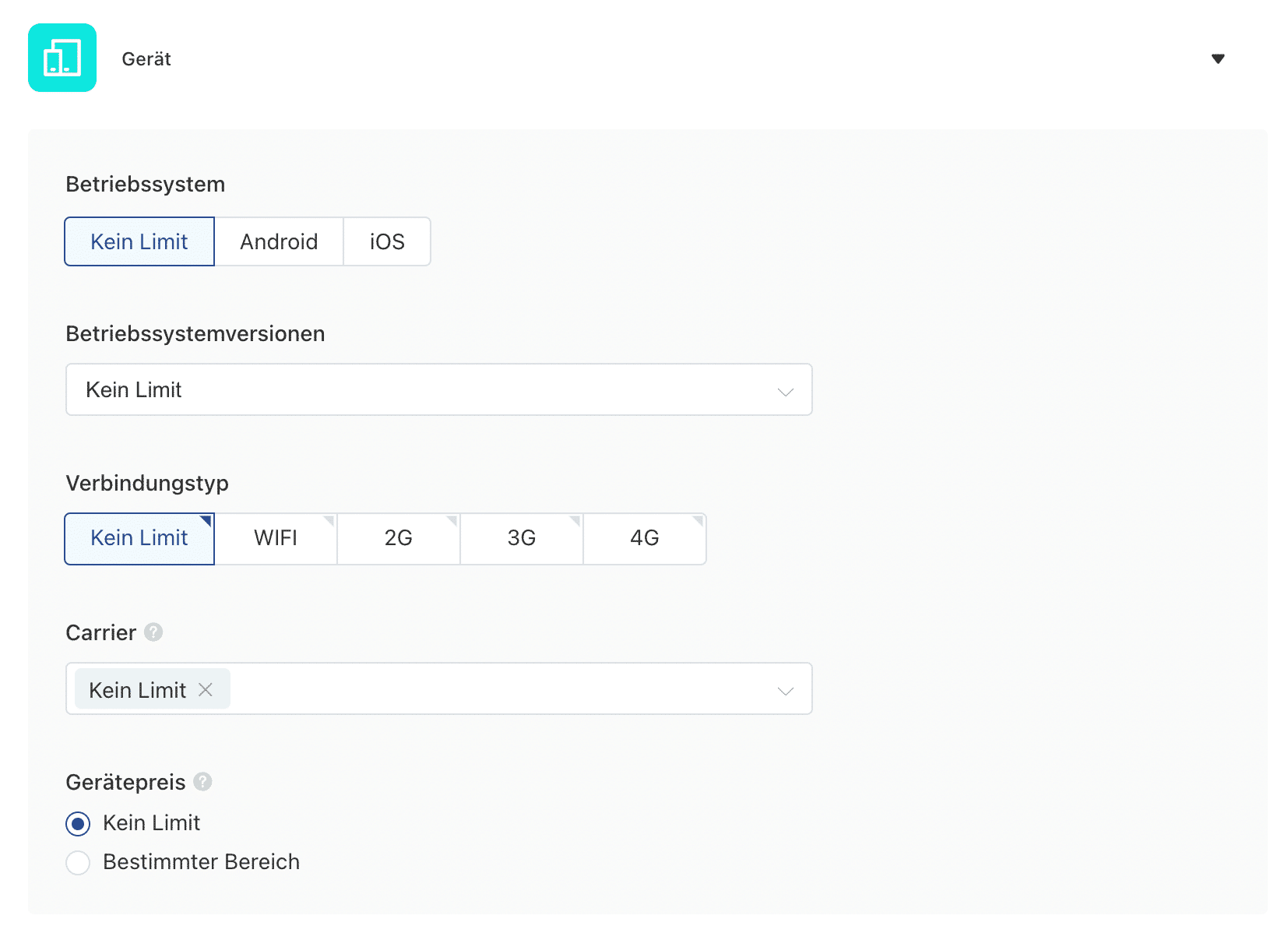
Basically, we recommend that you do the preselection in this way.
- Choose between one Daily or total budget out of. Please note that when choosing Daily budget****at least 20 euros per day must specify.
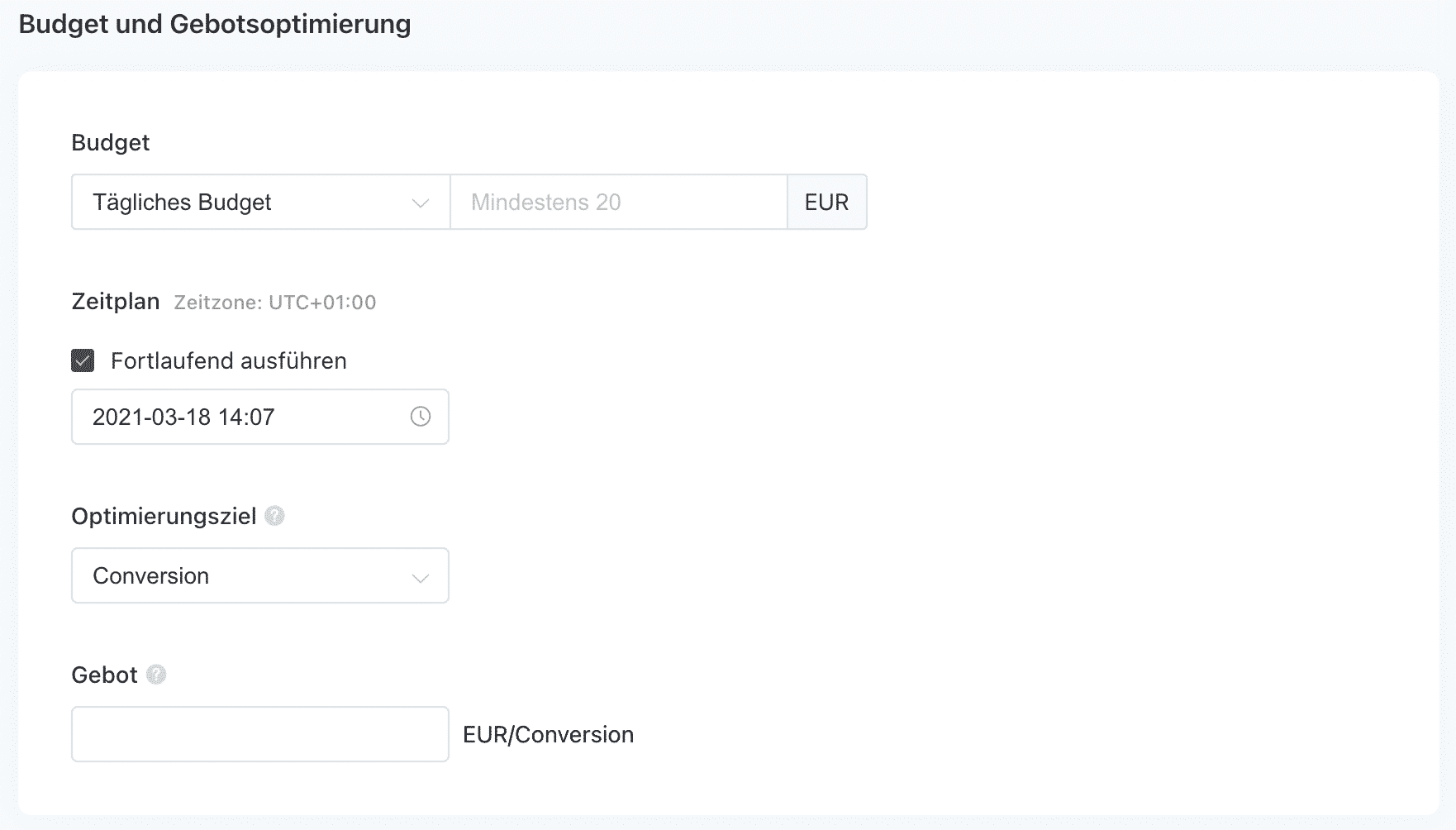
Small amounts of less than 20 euros per day cannot currently be advertised (yet). You will find further information on the subject of budgets here from TikTok explained in more detail.
- Finally, click “Further” and you can create a new ad.
Create a TikTok ad
- Download yours now Promotional video high. Make sure you “Single video” have selected.
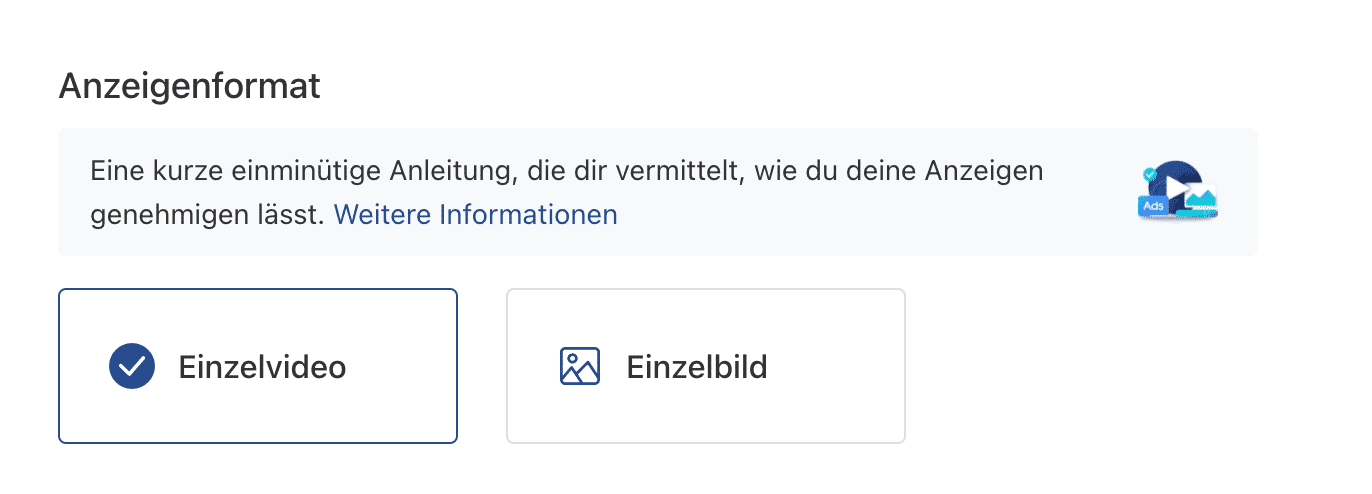
Also, read the TikTok ad creative guidelines carefully.
**Video format: **
- Recommended format: .mp4, .mov, .mpeg, .avi or .gif
- File size: Up to 500MB
- Resolution: Horizontal (960540); Square (640640); Vertical (540*960)
- Bit rate: ≥ 516kbps
- Duration: 5-60s
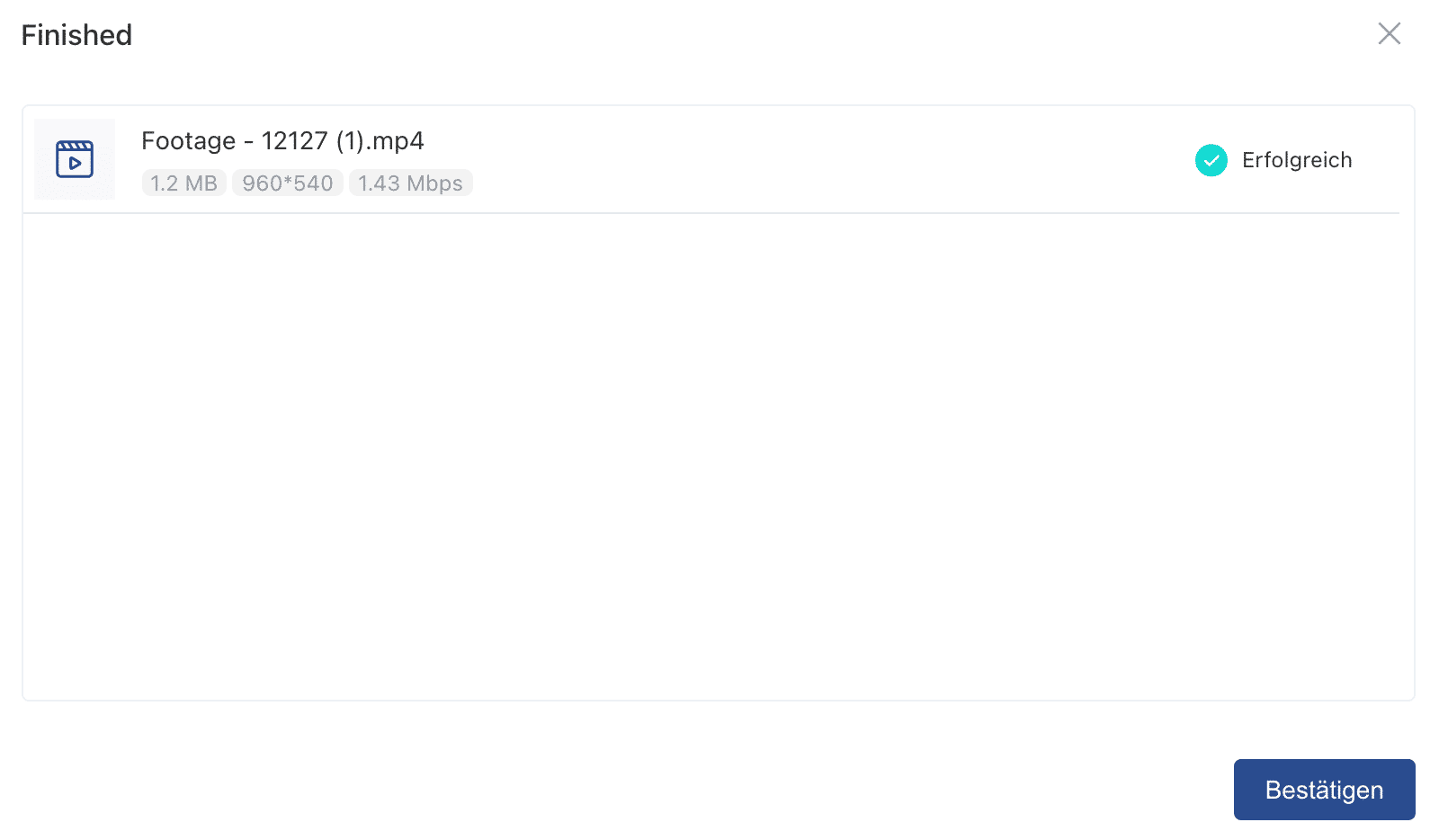
After the video has been uploaded successfully, confirm the process by clicking on “Confirm”.
- Fill yours Ad text and the Call to action out of.
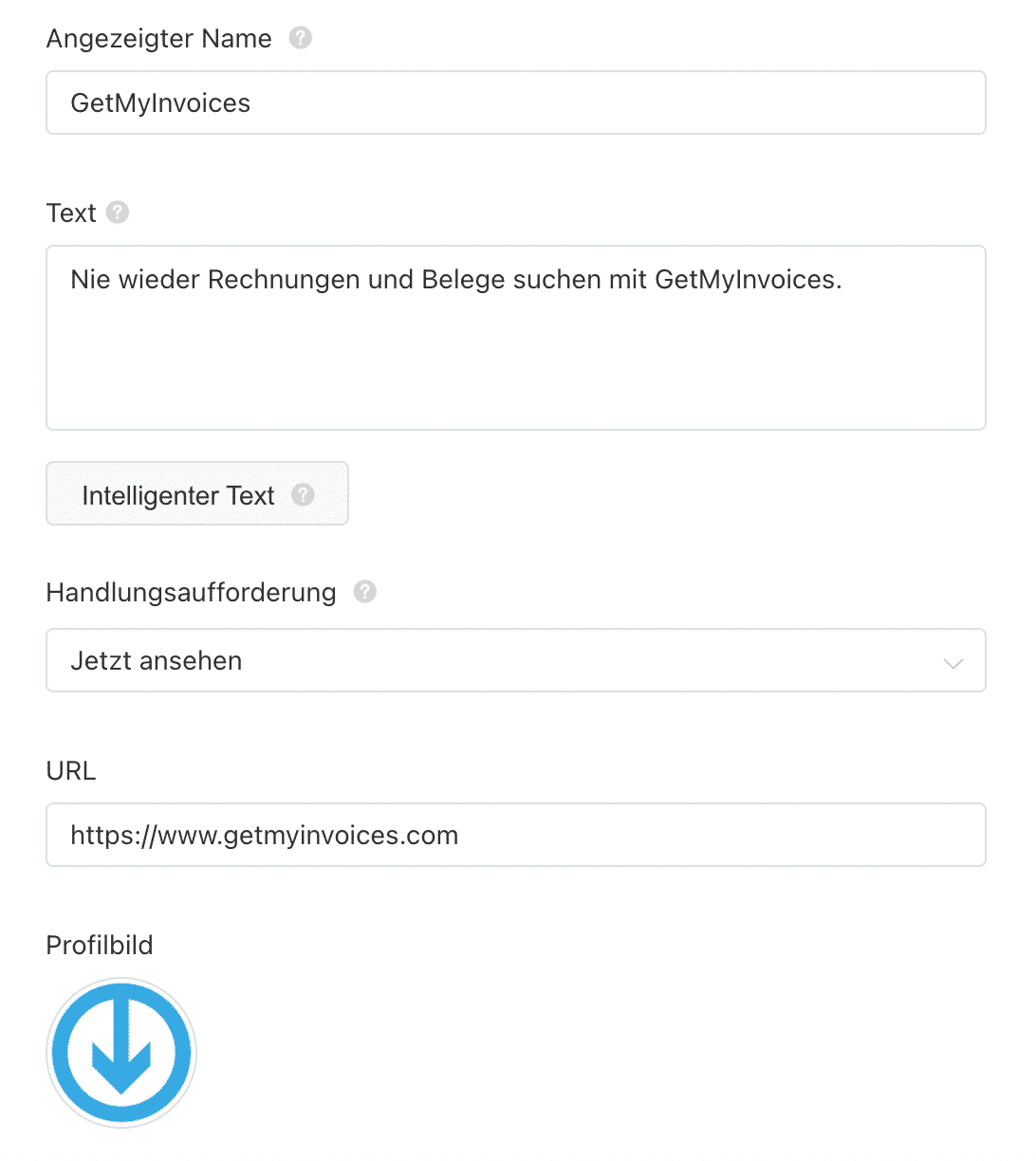
Also include the URL of the landing page where the clicker will be directed after clicking on the ad.
Additionally, upload a logo of your company.
- Finally, click “Submit” and your campaign will be submitted for review.
TikTok will now review your ad against its guidelines. You can find a checklist here , which helps you ensure your ads are approved on the first review.
Best practices for TikTok advertising
Creating a In-feed ad is easy on TikTok. Creating an ad that efficiently brings in new fans and customers is a little more difficult.
Here are a few things to keep in mind when launching your first TikTok ad campaign.
Be authentic
On a platform that says sharing creativity is its mission, your ads need to have a certain flair.
TikTok says directly on their help page that brands and companies should be authentic.
“Creative should be consistent with your brand image and resonate with your target audience. Reputable brands should have serious ads, trendy brands should have trendy ads.”
Redbull is a good example of this.
The energy drink manufacturer is known for bringing Extremesport to the world. Her TikToks stay true to that mission.
Use influencers wisely
Influencers are creatives who work with you to share your message with their audience. Choose the right ones and you’ll get great value from your TikTok ad spend.
One Tomoson study has found that every $1 spent on influencer marketing returns the company $6.50.
When looking for the right influencer, pay attention to the following:
- relevance. An influencer known for makeup tutorials may not be the best option to promote your energy drink.
- Influence. Both the number of followers and engagement metrics (likes, shares) are important.
- Location. Whether your brand is local or national, you want an influencer’s core audience to have access to your products.
You can check influencers on the tab “User” in the Search find. Just give it a theme into the search bar.
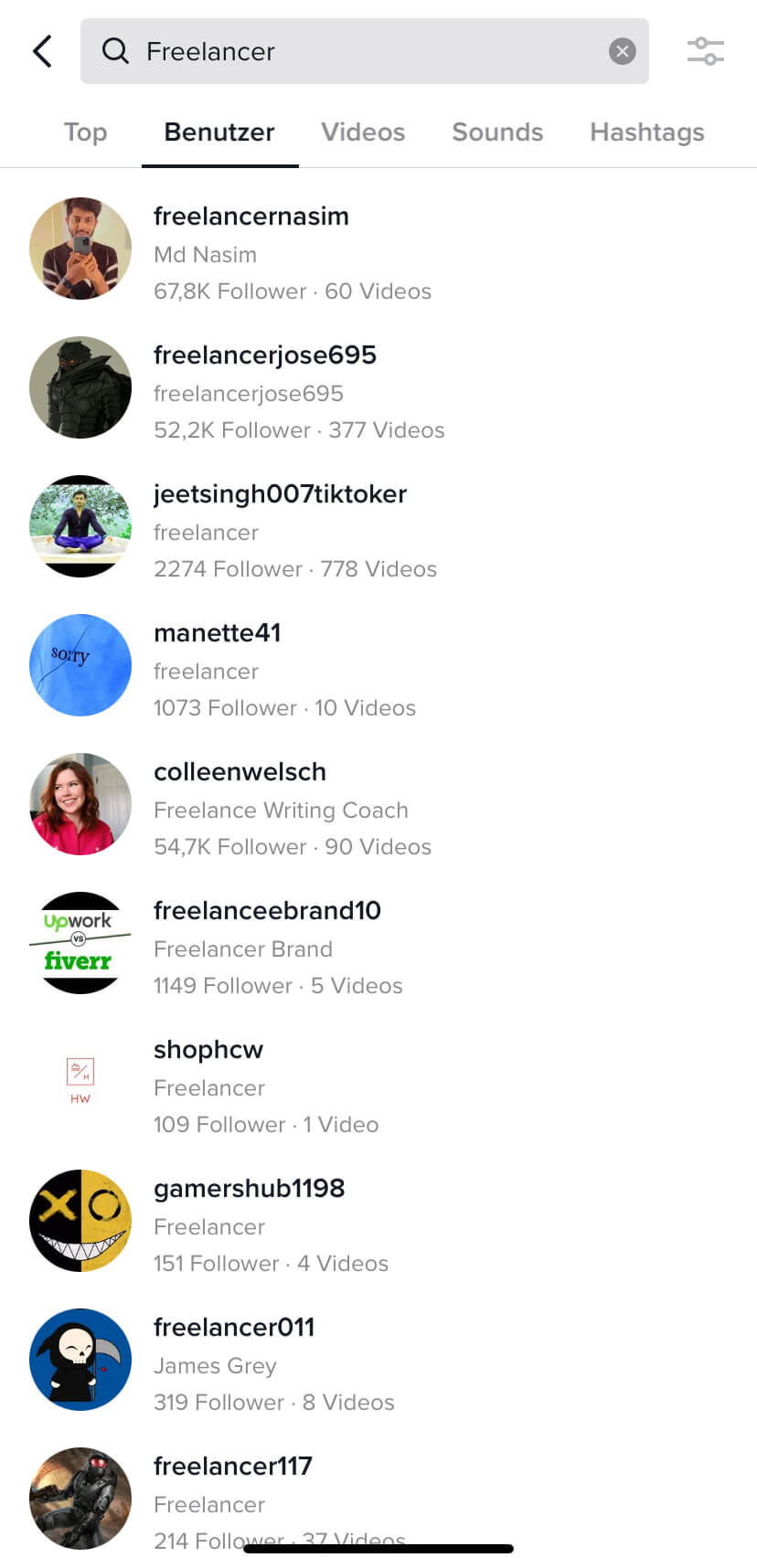
You will then immediately see the number of followers of each person. Click on a profile to find additional engagement metrics, such as: B. how many people liked the videos.
TikTok also offers a platform for brands and influencers to collaborate under the name “Creator Marketplace” .

There you can use examples and Data after the perfect Influencer Match seek.
Summary
As you can see, is the best wayTo create effective TikTok advertising, go to TikTok and familiarize yourself with the type of content that is trending right now.
This will make your ad stand out to your target audience and help you achieve the goals of your TikTok ad campaign.
Already have first Experiences with TikTok advertising Can you collect or are you about to try it out? Let us know and write it in the comments.
By the way, it will help you or your accounting department to always receive all invoices from TikTok on time GetMyInvoices completely automatically save your invoices centrally in one place. This means you never have to search for your receipts again.