GetMyInvoices has already saved many of you a lot of time. But so that you can invest even more time in meaningful tasks, we have expanded our features again.
Previously, GetMyInvoices only recognized incoming invoices in your email inbox that came from well-known companies. In addition, you could define your own rules to recognize invoices from smaller companies or freelancers.
From now on it’s much easier:
With the new invoice recognition, GetMyInvoices automatically searches the inbox for keywords that indicate an invoice. If one is found, you will be notified by the small envelope in the top right of your dashboard that there are new emails that have the characteristics of an invoice.
A small number will flash above the small envelope, indicating the number of newly uploaded emails. If you click on it, you will see: “x possible invoices found”.
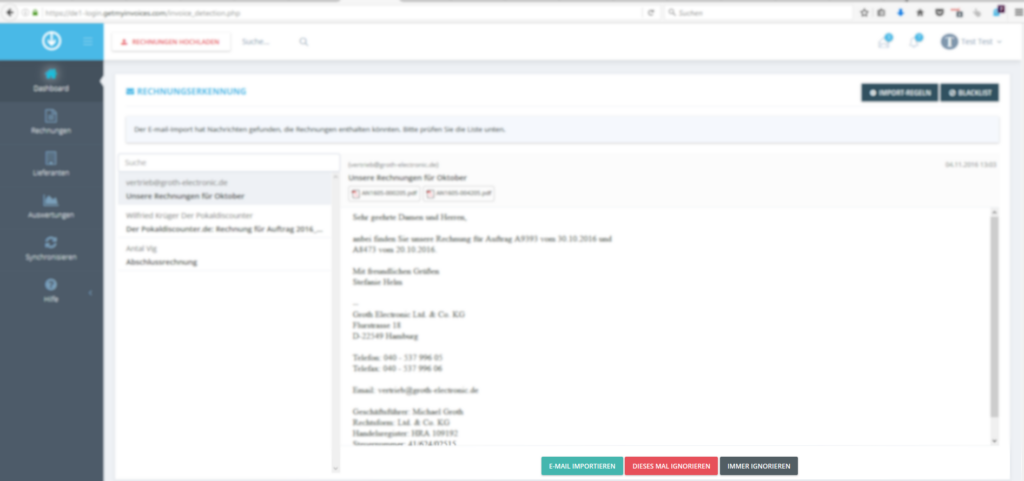
Click on this message to display all the emails found. Here you can specify what should happen from now on with messages from this sender or subject line: should it be treated as an invoice? Or does it just look like an invoice and isn’t one at all? Or was this particular invoice perhaps for something private and should therefore not be listed?
You can decide on a case-by-case basis or make a general selection.
Use the buttons to select whether the email
- should be imported (IMPORT EMAIL)
- should be ignored (IGNORE THIS TIME) or
- should always be ignored (ALWAYS IGNORE).
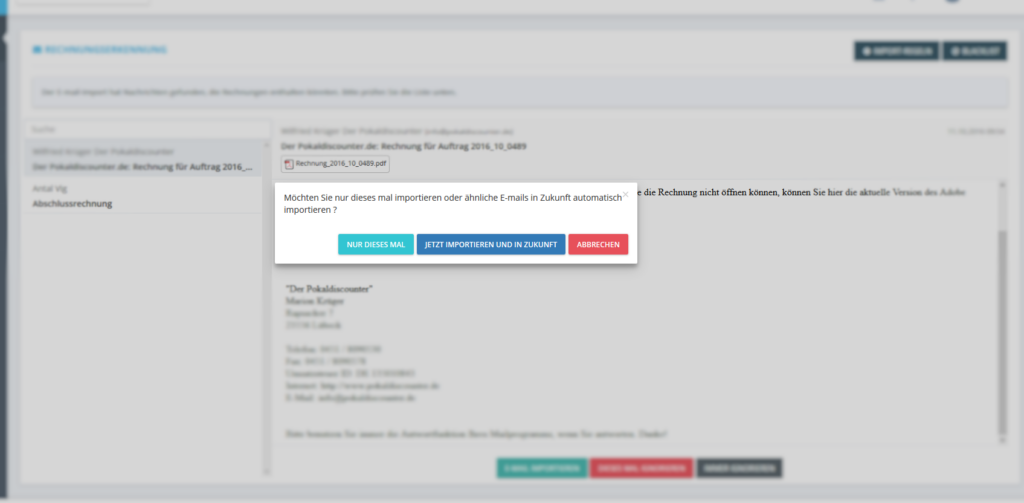
If you choose “Import Email”, you will be asked if you want to make it a rule (“Always import”) or if you only want to import this specific invoice.
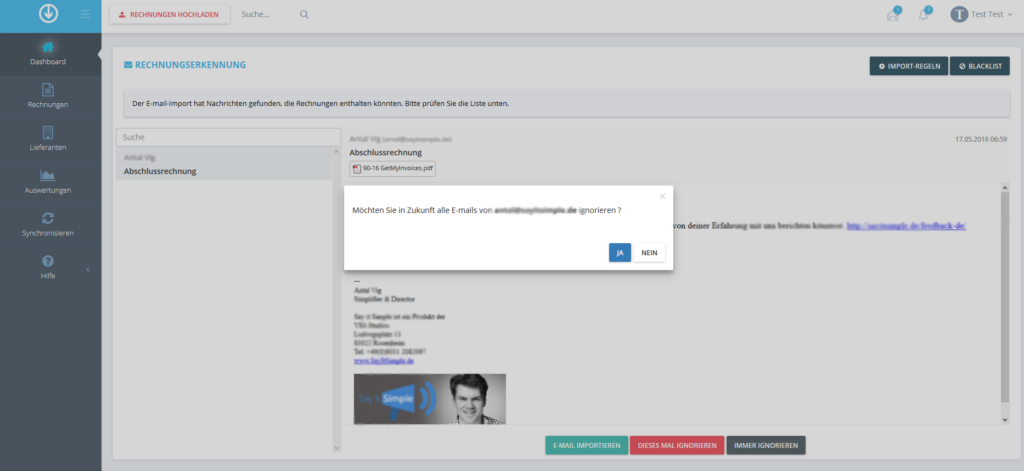
If you choose “Always ignore”, the sender will be added to your personal blacklist. If you choose “Ignore this time”, the email will be removed from your GetMyInvoices account.
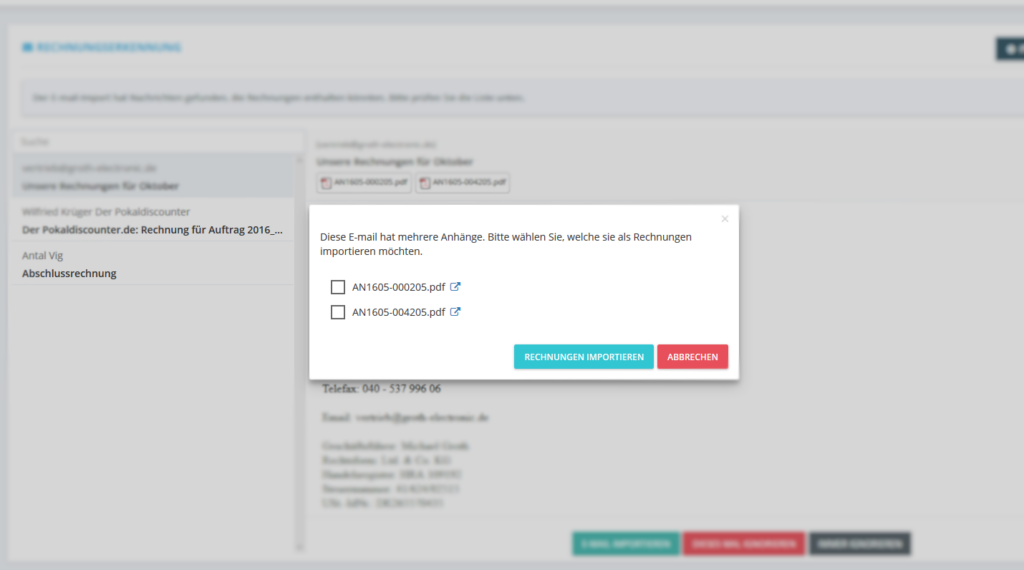
If your email contains multiple attachments, you can choose whether you want to import all attachments or select the attachments you want.
Try GetMyInvoices for free »