Smaller businesses need accounting software that is as easy to use as possible and saves a lot of time. To ensure that accounting doesn’t remain a closed book, we present worthwhile solutions.
Table of contents:
- Company form determines accounting
- Small businesses need these features
- Free accounting software
- Three accounting programs for small businesses
- GetMyInvoices brings the documents into the accounting department
Top questions about accounting software solutions for small businesses:
Are there free accounting programs?
Yes, there are a few open source programs that are free. However, these are often difficult to use and are therefore only recommended to a limited extent. That’s why you’re better off paying the monthly fees for high-quality software. The only exception is the software Paperkram, which provides a permanently free version.
Which accounting software is best for small businesses?
There is no general answer to which accounting software is best for you personally. The choice should depend on the individual needs that your company has. Three of the most common small business solutions are SevDesk, LexOffice and Paperwork, which you should try out for yourself.
In larger companies, an entire department often takes care of accounting. Smaller companies cannot afford this luxury. The question is: do it yourself or hire a tax advisor? Working with a tax advisor is convenient, no question about it. This saves time, but also costs money every month. With the right software, anyone can do their accounting. Or prepare it so that the tax advisor only has to worry about the end of the financial year and the tax return.
The type of company determines the accounting
The legal form of a company influences the type of accounting and thus the choice of software. Companies such as UG, GmbH, KG or OHG must prepare a balance sheet. The accounting obligation arises from the HGB, which also lays down the principles of proper accounting. Individual businesses such as companies run by freelancers or traders do not need a balance sheet. In short: If you have to prepare a balance sheet, you book differently. The annual financial statements are therefore more complicated and cannot be done without a tax advisor. The software should take this into account and at least be able to prepare everything for the balance sheet.
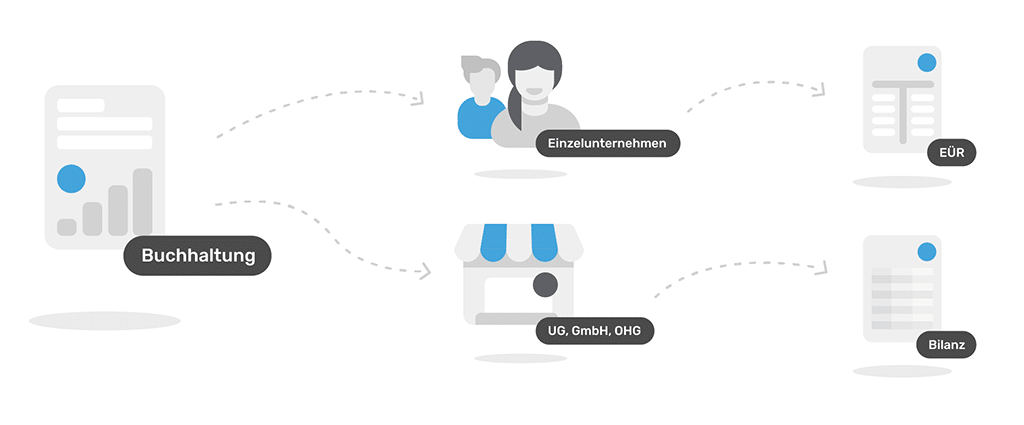
Anyone who is exempt from the balance sheet requirement creates an income surplus statement (EÜR). This makes things a lot easier because all income is listed here, from which expenses are deducted.
Small businesses need these features
Accounting is a job that unfortunately does not add value and cannot be billed to customers. That’s why it should be done quickly. Accounting software should support users as comprehensively as possible. These functions are useful:
-
Help with setting up the company in the software such as master data, document numbers, account types
-
Digital document management and assistance with recording - Many receipts come in paper form and should be easy to digitize.
-
Support with individual bookings - It’s good if the software provides explanations when a receipt is entered.
-
Overview of inventory and facilities - Some purchases may not be fully recorded as expenses immediately. The software should intervene here.
-
Creation of the EÜR - Optional preparation of the balance sheet
-
Cash book - Necessary to manage cash purchases.
-
Online banking - An interface to online banking is a must. This provides, among other things, proof that a payment or receipt has actually been made (record comparison).
-
Advance sales tax return - You save a lot of time if you can report to the tax office via the Elster interface directly from the software.
-
Interface to tax program or tax advisor - The EÜR provides the figures for income from self-employment. It’s good if the values can simply be passed to a control program. Or a tax advisory office gets access to it.
In addition to these core functions, there are also features that make life easier. However, the tasks can also be completed with other programs:
- Customer management (CRM)
- Time recording for customer orders
An app can be a useful addition, but is not absolutely necessary. The programs we present focus on accounting. There are also services on the market that focus more on writing invoices, but can also do accounting.
Free accounting software
Small companies in particular are trying to keep their costs under control. Offers for free accounting programs sound tempting. In fact, there are some applications on the market that are offered free of charge and mostly come from the open source area. However, these often have a fairly high learning curve. Or there is a lack of documentation. After all, it is helpful if a hotline is available to solve a problem or answer a question. This is also not included in the free solutions. That is why it is advisable to pay better the monthly fees for such an important topic as accounting. Especially since one of the solutions presented can even be used free of charge.
Three accounting software solutions for small businesses at a glance
There are plenty of accounting programs on the market. We have presented three common and proven solutions for you:
SevDesk
SevDesk sits in the cloud. This allows access to the accounting from any computer. In addition, data and receipts are stored securely. SevDesk is offered in the form of modules that build on each other. If you just want to write invoices with it, you pay 9.90 euros per month. The accounting module costs 18.90 euros per month and also includes the invoice module. Anyone who owns a trading company will find inventory management interesting. It costs 45.90 euros per month and then has invoices and accounting built in.
The accounting module includes many functions that help save time. For example, incoming invoices and receipts can be photographed using the SevDesk app or you can forward them directly to the program via email. Thanks to the connection to online banking, you can not only easily compare received payments with outgoing invoices, but also transfer outstanding claims directly from the software. A cash book is integrated for cash transactions. SevDesk automatically creates an income statement (EÜR) and the profit and loss statement (P&L). You send the advance sales tax return directly from the cloud to the tax office. If you prefer to work with a tax advisor at the end of the year, you can provide the data in the DATEV format, which all tax advisors work with.
LexOffice
The Lexware company has been developing accounting, tax and online banking programs since the late 1980s. Experiences that users of the cloud solution have LexOffice noticed in many places. There are four different functional packages to choose from (S to XL), which cost between 5.90 and 24.90 euros. This means that every user can decide for themselves which functions they need. If you want to do the advance VAT return with LexOffice, you should book at least the “L” package.
LexOffice’s functions focus on accounting: document recognition and management, invoice creation, payment reconciliation and online banking. Anyone who employs employees can also use it to process payroll. The monthly flat rate then increases depending on the number of employees. As with SevDesk, the data can be exported in DATEV format, or the tax advisor can have their own access to the data. A special feature of LexOffice is a kind of marketplace with partner offers. Users can also supplement their system with solutions from other providers. Among other things, applications for hourly recording, travel expense accounting or industry solutions for tradesmen or doctors are listed here.
Paperwork
Takes a slightly different path than the two solutions already mentioned Paperwork . There is a permanently free version of the cloud solution. However, all outgoing documents will then contain a small reference to the company.
Paperwork also provides a direct record of the hours worked on a project, which is important for many companies, especially in the creative sector or IT. Functionally, paperwork is in a dead heat with LexOffice and SevDesk. Offers, outgoing invoices, automated document recognition, booking and account reconciliation with online banking are all included here. And sales tax also handles paperwork. In addition to the free basic version, there are three program packages (between 8 and 40 euros per month). These build on each other and each offer additional functions or expand the other packages. If you want to share paperwork in a team or manage five online accounts, you need the “Team” package. If you want more accounts and users, this will only work with the next package.
It’s best to test the software yourself
With the three solutions presented, the tiresome topic of accounting can be fun! And since the functions hardly differ from each other, personal preferences and individual user guidance also determine the choice. Since all providers have a free version (paperwork) or at least free trial access, it’s best to see for yourself which solution best suits your business!
GetMyInvoices brings the documents into the accounting department
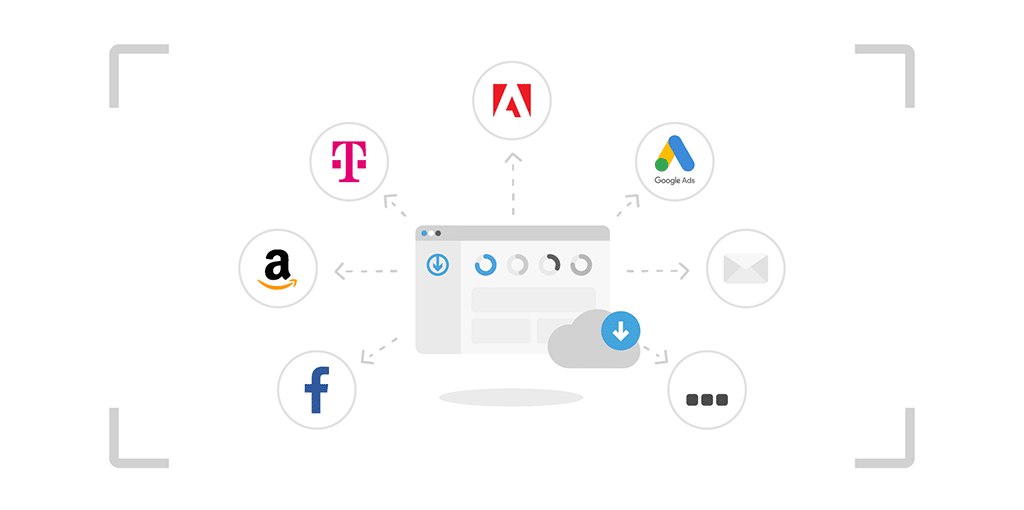
Do you regularly receive invoices by email? Or visit the Amazon, Facebook and Co. portals to download invoices? Then GetMyInvoices saves a lot of work. Our solution reliably collects the receipts and makes them available to the accounting software upon request. There are solutions for all three presented direct interfaces to GetMyInvoices.