GetMyInvoices users know: Typing invoice information such as supplier and invoice amount is a thing of the past. These are automatically displayed when you open the document. But how is that possible? The OCR solution is mainly responsible for this function fintract . But first things first.
What is OCR?
OCR stands for Optical Character Recognition and describes automated text recognition. With the help of this technology, users can primarily convert images into text or extract text from images. It does not necessarily have to be installed on the end device or users do not need their own OCR scanner. Such procedures are often used in the background. They develop their full potential when the information is not only read out by machine but also processed automatically. This is exactly the case with GetMyInvoices.
The challenges for fintract
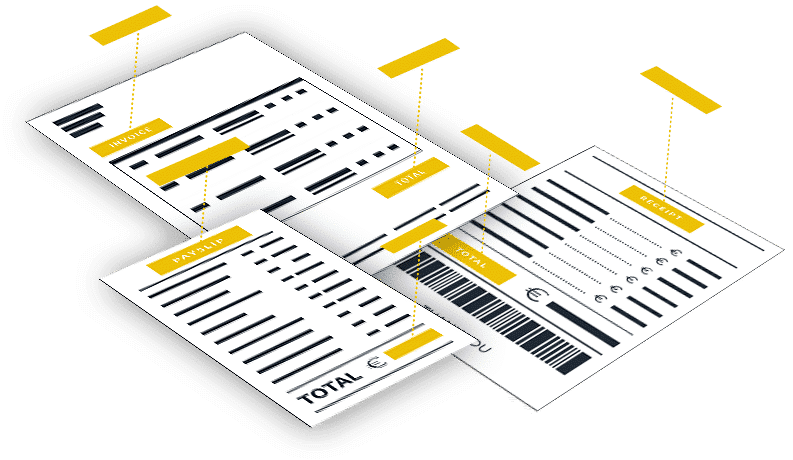
On the one hand, fintract supports the two standard formats for invoices – ZUGFeRD and XRechnung. On the other hand, unstructured documents go through the OCR tool. The challenges are the different languages and the different types of documents. The range extends from fuel receipts to supplier invoices to outgoing invoices, with the information located in different places, often in different spellings. There are also account and credit card statements. The documents are also available in various formats – as PDF, TIFF, JPEG or PNG. fintract still recognizes relevant information based on optical character recognition. Because our software works with an algorithm that includes around 100,000 rules, combined with artificial intelligence. This achieves a recognition rate of more than 90 percent and fintract is able to reliably extract up to 50 different invoice information from invoice documents.
An OCR tool at the service of its users
If fintract does not find all the information, users can simply mark the content in the invoice preview and extract it with one click. This means our OCR learns and future results become better. This means even less effort for users.
An example: Invoices can be posted and paid within minutes. Financial transactions are recorded within seconds and automatically assigned to receipts.
In addition, fintract is making a significant contribution to combating the current pandemic. The OCR reads information from corona tests and makes it available for further machine use as needed. But that is another story .