Selling products on Amazon can be profitable. However, the Amazon Marketplace is different from traditional retail. Read here how to open your Amazon shop and what you need to consider - including step-by-step instructions.
Table of contents:
- Product choice
- fees
- Creating a seller account: requirements
- Legal basis
- Create a seller account: step-by-step instructions
- Conclusion
Questions and answers about selling products on Amazon:
Amazon charges a brokerage fee of between 8 and 15 percent for each item sold. The rate changes depending on the product category. In addition, depending on the seller account you choose, you pay a basic fee of 0.99 euros or 39 euros per month.
If you only occasionally sell on Amazon as a private individual, for example used books, you do not need a business license. However, if you intend to make a profit, you must register a business.
These products sell very well on Amazon:
- Toys and games
- electronics
- Video games
- Books
- clothes and shoes
- Jewelry
To open an Amazon seller account, you definitely need:
- A reliable credit card
- Valid passport or ID card
- Telephone number
- bank account
- Contact details of a contact person
- Company registration details if you act commercially
Given rising energy and rental costs, the costs of a physical store are becoming a burden, especially for small businesses. E-commerce marketplaces like Amazon can help founders reduce costs while opening up new sales channels. After all, over 94 percent of online shoppers in Germany are Amazon customers. A third of them even buy at least half of their purchases from the online giant. But is it really that easy to create a seller account? Which legal regulations do you have to comply with? And ultimately, is selling products on Amazon really worth it?
Choosing the right products on Amazon Marketplace
Before you actually start, you should decide on a product that you want to sell on Amazon. This may sound simple at first, but Amazon offers 20 product categories. Ten more will be added once you register as a professional seller. For the latter you need approval from Amazon. You can get approval directly in the Amazon Seller Central apply for.
Be sure to choose products that are not tied to a season or current trend. Instead, your offer should generate long-term interest and thus generate sustainable sales.
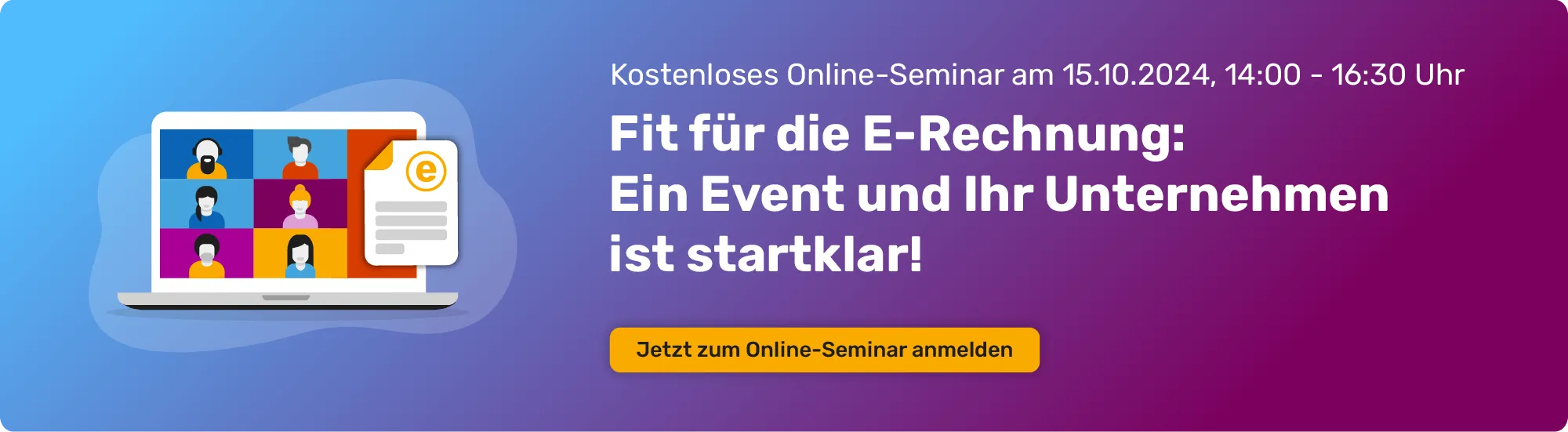
It’s worth taking a look at existing and popular categories. These include, for example: technology, games, watches, books and toys.
In each category there are so-called “bestsellers” that are marked as such. Using these favorites, you can see what your target group likes to buy and which features they particularly value.
Merch by Amazon: Sell t-shirts on Amazon
Merch by Amazon is a printing service for T-shirts, sweatshirts, etc. offered by Amazon itself. Retailers and designers can upload their own designs and sell them directly through Amazon. The MBA is a print on demand service. The corresponding purchased design is only printed on the T-shirt after the customer has placed an order. You currently receive five euros commission per T-shirt sale. For example, you can design your own T-shirts and sell them online through Amazon without having to make and ship them yourself.
Sell books on Amazon
Jeff Bezos originally started Amazon as a digital bookstore and bookselling via the platform is still profitable today: Loud Amzscout Books are among the top product categories on Amazon. In addition, the online giant currently holds three quarters of the eBook market and over 50 percent of the print book trade, said Amzscout .
In addition, with Amazon KDP (Amazon Kindle Direct Publishing) you can easily sell your own books on Amazon using the drop on demand principle: As soon as a customer orders your book, Amazon prints it (digitally or print) and sends it out.
Sell DVDs on Amazon
You can also make a little money quickly and easily by selling old films. You can either send your DVDs to customers on Amazon yourself - or you can send everything to Amazon and have the online retailer send it to you.
Selling products on Amazon: The fees
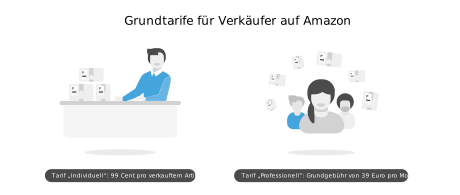
If you now want to start selling your products, you must first decide on a basic tariff. If you just want to earn a small additional income, the “Individual” tariff is a good choice: Here you pay 0.99 euros for each item sold. If you want to sell commercially via Amazon, you can choose the “Professional” tariff, which costs 39 euros per month. This tariff even includes additional features such as an optimized overview of sales figures and the ability to place advertising.
But unfortunately that’s not all. There are additional fees in addition to the two tariff options:
- Gebühren für den Verkauf: Die Verkaufsgebühren werden pro Artikel erhoben und entsprechen je nach Produktkategorie zwischen 8 Prozent und 15 Prozent des Verkaufspreises.
- Self-fulfillment fees or FBA fees: If you have your products shipped directly from Amazon, there will be fees for storage, shipping and optional other services Amazon shipping costs at.
Creating an Amazon seller account: Requirements
Creating a seller account on Amazon is not difficult at first. According to the online retailer, all you need is:
- An email address or an Amazon customer account
- A phone number
- A business account to process your earnings
- A credit card for the fees to be paid
- A passport or ID card to confirm your identity
If you have your own brand, you must also Trademark registration process run through.
Selling on Amazon: Business and legal basics
To sell commercially on Amazon, you must also complete the following steps:
- First you have to get your Register your business with the trade office and, if necessary, apply for a sales tax identification number. Danger: Without a business, you are not allowed to sell on Amazon! If you cannot produce a business registration, you risk high fines.
- If you import and export products outside the EU, you also need an EORI number.
- Create your terms and conditions as an Amazon seller. In principle, the general terms and conditions are not mandatory, but they create trust. You should also provide information about the right of withdrawal, otherwise this automatically amounts to twelve months. The right of withdrawal is well covered in the terms and conditions alongside information on payment options and warranty.
- Include your imprint. As a retailer on Amazon, you are subject to the legal notice requirement.
- Create a data protection declaration according to the guidelines of the GDPR.
You should also collect all payout reports provided by Amazon so that you can report all transactions to the tax office. If there is any uncertainty, various programs such as: GetMyInvoices help to simplify the preparatory accounting. The tool fetches Download bills and receipts automatically and even compares it with the corresponding bank transaction. This saves you both time and annoying paperwork.
Create an Amazon seller account: step-by-step instructions
If you have thought through the above steps carefully, you can then create your seller account.
- Registration: Using the “Register” button on the Amazon homepage, you can either link your existing Amazon account with the seller account or create a new account. Then select the sales tariff that suits you and provide the above-mentioned information about bank details, contact person, etc.
- Add products: Here you select the appropriate product category for your offer.
- Quoting: To successfully sell your offer, you need an impressive product page. This not only contains images and a detailed description, but also an identification number (EAN) and an article number (SKU).
Conclusion: Selling products on Amazon is not difficult
Founder and Small business owner Find an easy way to sell products online or increase awareness of your brand through Amazon. Creatives and small business owners can also use the print-on-demand option to sell products on Amazon with low upfront costs.
But even if Amazon is one of the most profitable marketplaces: Always observe the legal regulations for traders and entrepreneurs! In addition to a business license, you must have your Determination of profits always everyone revenue and expenditure including the appropriate receipts for your accounting document and Archive GDPR-compliant .